Disable notifications
You can disable all system event notifications if you do not want to use
any in your Salesforce instance or if you want to perform a data load.
To disable the notifications for all System Event
(mvn__SE_System_Event__mdt) metadata records, create a System Event
Setting (mvn__SE_System_Event_Setting__mdt) metadata record and check
one or both of the disable options below:
-
Disable Chatter Posts - indicates if Chatter post notifications for system events are disabled (
true) or enabled (false). -
Disable Notifications - indicates if all notification channels for system events are disabled (
true) or enabled (false).
You can also grant users the ability to mute all document system event notifications for a specific document type or document state. To grant this ability for a designated document collaborator role:
-
Create a Document Type Role Permission (
mvn__CM_Document_Type_Role_Permission__mdt) metadata record as follows:-
Set the Document Type and Role fields according to the type of document and document collaborator that you want to enable the feature for. For example, if you want a reviewer to be able to mute notifications for a publication document, set the Document Type field to
Publicationand set the Role field toReviewer. -
Set the Permission field to
Mute Notifications. This is the Mute Notifications (CM_Mute_Notifications) Permission (mvn__CM_Permission__mdt) metadata record that will mute all document system event notifications for the document type.
-
-
Create a Document State Role Permission (
mvn__CM_Document_State_Role_Permission__mdt) metadata record as follows:-
Set the Document State Role field based on the state of the document and type of document collaborator that you want to enable the feature for. For example, if you want a document owner to mute the notifications for a document that is in review, set the Document State Role field to
Default - In Review - Owner. -
Set the Permission field to
Mute Notifications. This is the Mute Notifications (CM_Mute_Notifications) Permission (mvn__CM_Permission__mdt) metadata record that will mute all document system event notifications for the document state.
-
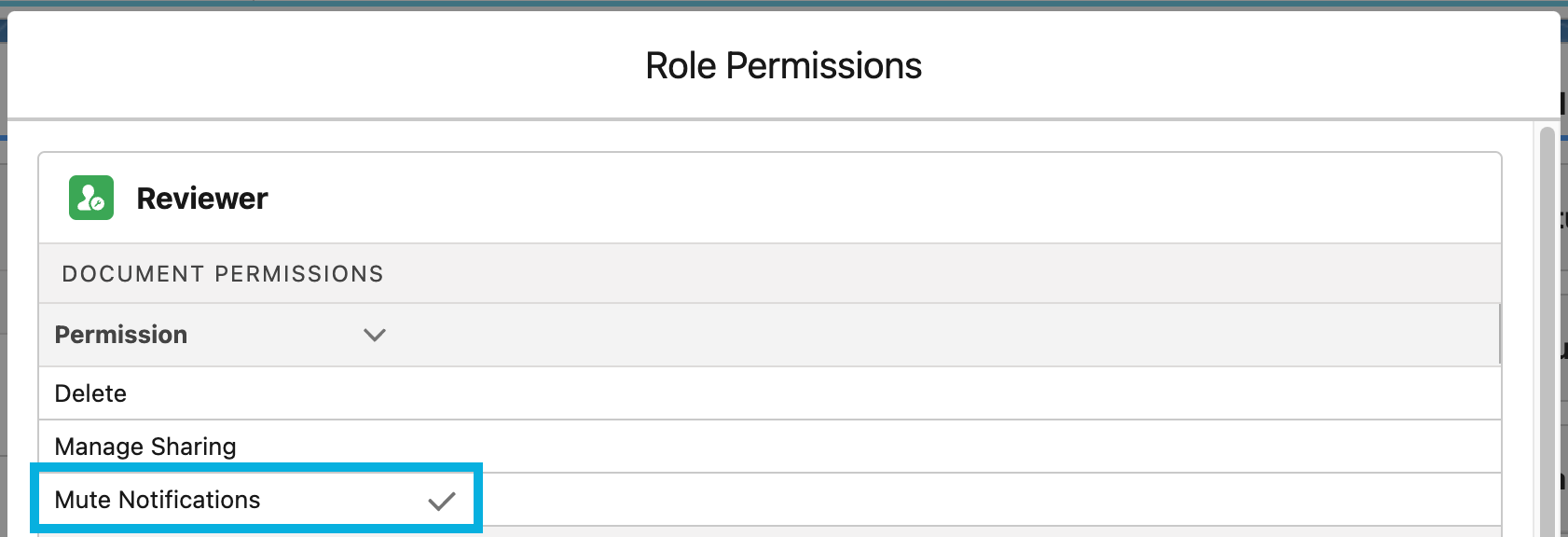
Once configured, the Role Permissions matrix for the specified role will
show a checkmark next to "Mute Notifications". These users will then
be able to configure the Notifications Muted by Default
(mvn__CM_Notifications_Muted_by_Default__c) field on the Document
State (mvn__CM_Document_State__mdt) custom metadata type to enable or
mute notifications for a specific document state by default. These users
will also be able to click Mute Notifications or Unmute
Notifications on a Document record to override the default
notification settings for the configured document type.

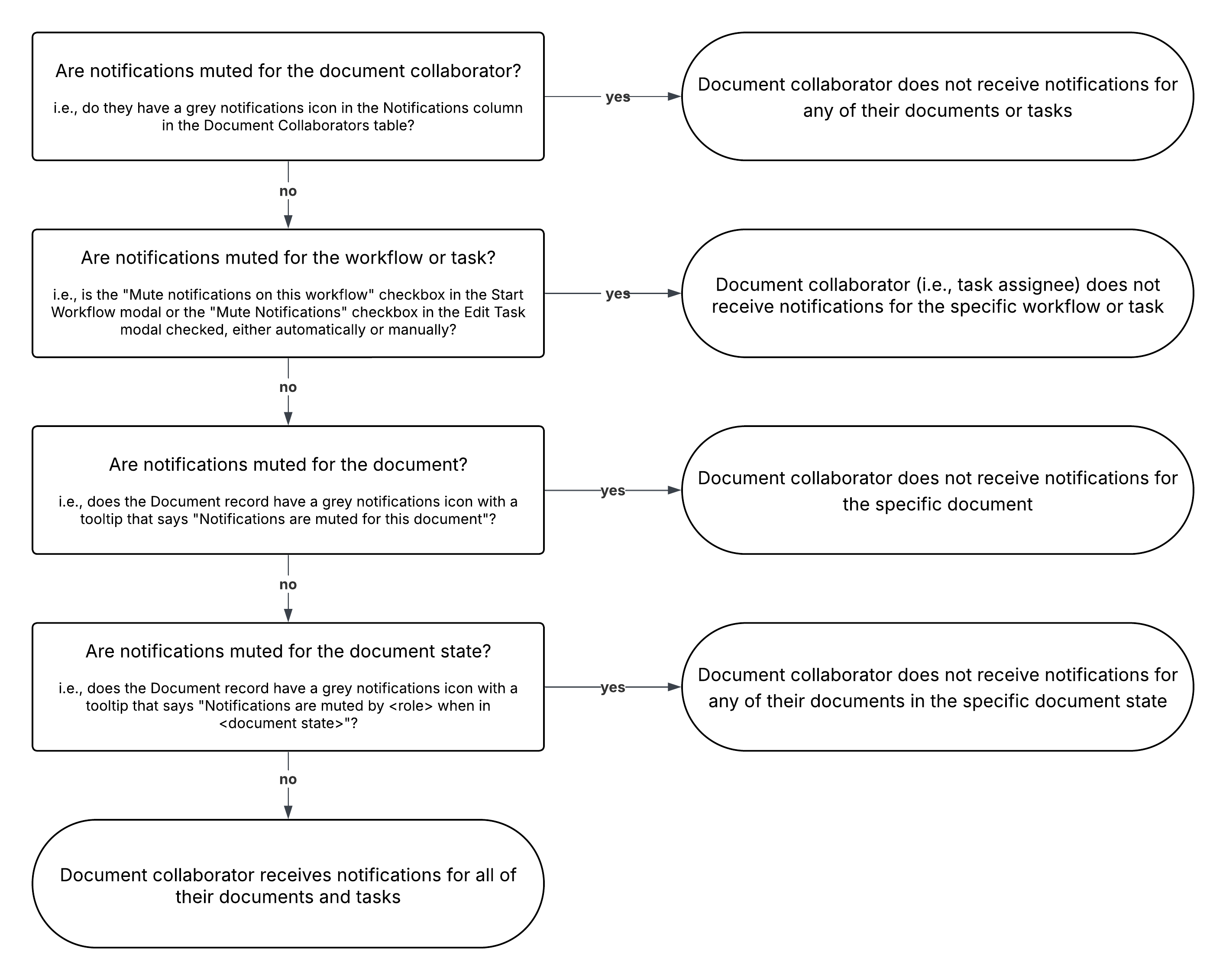
When notifications are muted for a document, document type, or document state, document collaborators do not receive email notifications about the document. However, even when notifications are not muted, document collaborators may still not receive email notifications about the document if they have their notifications muted or if the workflow tasks on the document are muted. This is because the notification settings on document collaborators supersede those on workflows and tasks which supersede the notification settings on document types, document states, and the documents themselves. For more information about muting notifications for a document collaborator or for a workflow or task, reference the Document collaborators and Workflows sections, respectively. For the order of precedence on the muting of notifications, reference the decision tree diagram below.