Notification channels
When a document system event occurs, notifications are sent to the configured channels for that system event. Channels include email, Salesforce notification, Chatter, and audit log. You can disable notifications for all system events in your Salesforce instance.
Email and Salesforce notifications
You can receive emails and/or Salesforce notifications when document
system events occur. Salesforce notifications are alerts that display in
the user interface when you click the
Notification icon.
icon.
To define the types of notifications that users in specific roles receive when specific system events occur, create and modify records for these custom metadata objects:
-
Document Notification Audience (
mvn__CM_Document_Notification_Audience__mdt) - defines target audiences for system event notifications. Target audience can be based on a Document Role, Group, Salesforce user ID, or user query filter. For more information, visit Document Notification Audience. -
Document System Event Notification (
mvn__CM_Document_System_Event_Notification__mdt) - manages how system event notifications are sent to users via Salesforce notifications and emails. For more information, visit Document System Event Notification.
To configure the button colors in the emails, reference the Email and Salesforce notifications section below.
To use custom labels to modify the text in system event notifications, reference the Configure notification body section below.
Chatter feed
A document's Chatter feed lists the system events that were fired in
relation to that document. To specify which system events should create
Chatter feed notification, modify the Create Document Chatter Post
(mvn__CM_Create_Document_Chatter_Post__c) field for the appropriate
System Event mvn__SE_System_Event__mdt) custom metadata records.
When users follow documents, the documents' feeds display in the user's aggregate Chatter feed.
Audit log
The audit log for a document lists the system events that were fired in
relation to the document. To specify which system events should create
an audit log entry, modify the Create Document Audit Log
(mvn__CM_Create_Document_Audit_Log__c) field for the appropriate
System Event mvn__SE_System_Event__mdt) custom metadata records:
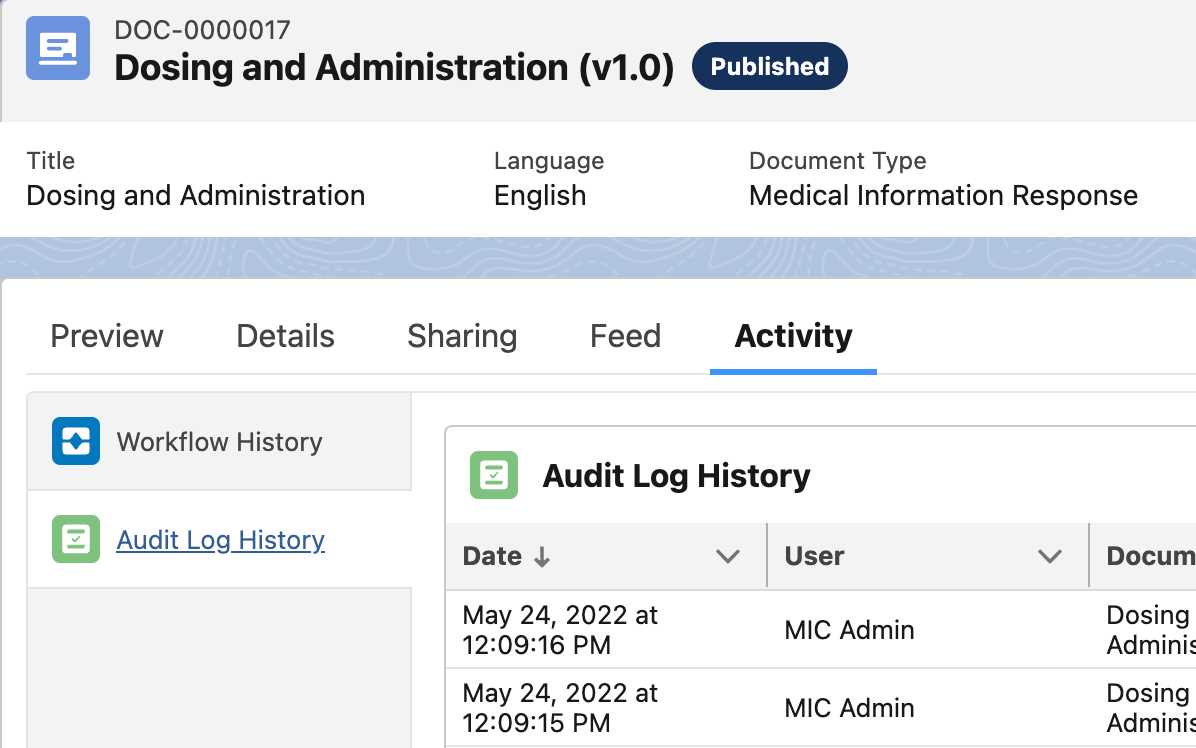
To view the audit log for a document in the user interface, use the
MCM - Document Activity (cmDocumentActivity) component. The
component's Audit Log History tab displays the document record's
system event history. A maximum of 500 entries display. If you need to
see more than the last 500 entries, use Salesforce's Query REST
API.
Audit log details for a Document State Change system event are restricted to the old status value and the new status value for the document.
:::
 :::
:::