
Spring '26 (v18) Release Notes
This topic contains the V18 release notes for Medical Information Cloud. V18 is the Spring '26 release. The release notes are organized into these high-level sections:
-
Installation and upgrades - link to install or upgrade to V18.
-
New features - new features and functionalities introduced in V18.
-
Updated features - existing features and functionalities enhanced in V18.
-
Defect fixes and maintenance - defects and maintenance items fixed in V18.
-
Metadata changes - changes to the underlying data models, user permissions, or system configurations included in V18.
-
Deprecated and deleted items - components of the product that have been deprecated, removed, or retired in V18.
-
Required pre-upgrade actions - required actions administrators must take before upgrading to V18.
-
Required post-upgrade actions - required actions administrators must take after installing or upgrading to V18.
-
Optional post-upgrade actions - optional actions administrators may want to take after upgrading to v18
As this page is maintained and updated over time to ensure accurate and timely information, Mavens recommends referencing the release notes online rather than printing and using static versions of the page.
The release notes on this page cover the Spring '26 work items that have been documented to date. Additional features, fixes, and metadata changes that ship in Spring '26 will be appended to this page as their documentation lands.
Installation and upgrades
The Medical Information Cloud Spring '26 release can be installed with the Install Service at https://install.mavens.com/products/mic/18.0.0.58. New installs of Medical Information Cloud will be on the latest release while current customers will need to run and deploy the latest update.
Remember to complete the steps in the Required pre-upgrade actions and Required post-upgrade actions sections below as appropriate.
New features
The V18 release of Medical Information Cloud contains several new features whose functionalities are detailed below. Details about enablement and configuration are included within the product documentation.
Region lookup on Interaction (Case)
Medical Information Cloud now keeps each Interaction (Case) record linked to a Region (mvn__Region__c) record that matches the Country selected on the interaction.
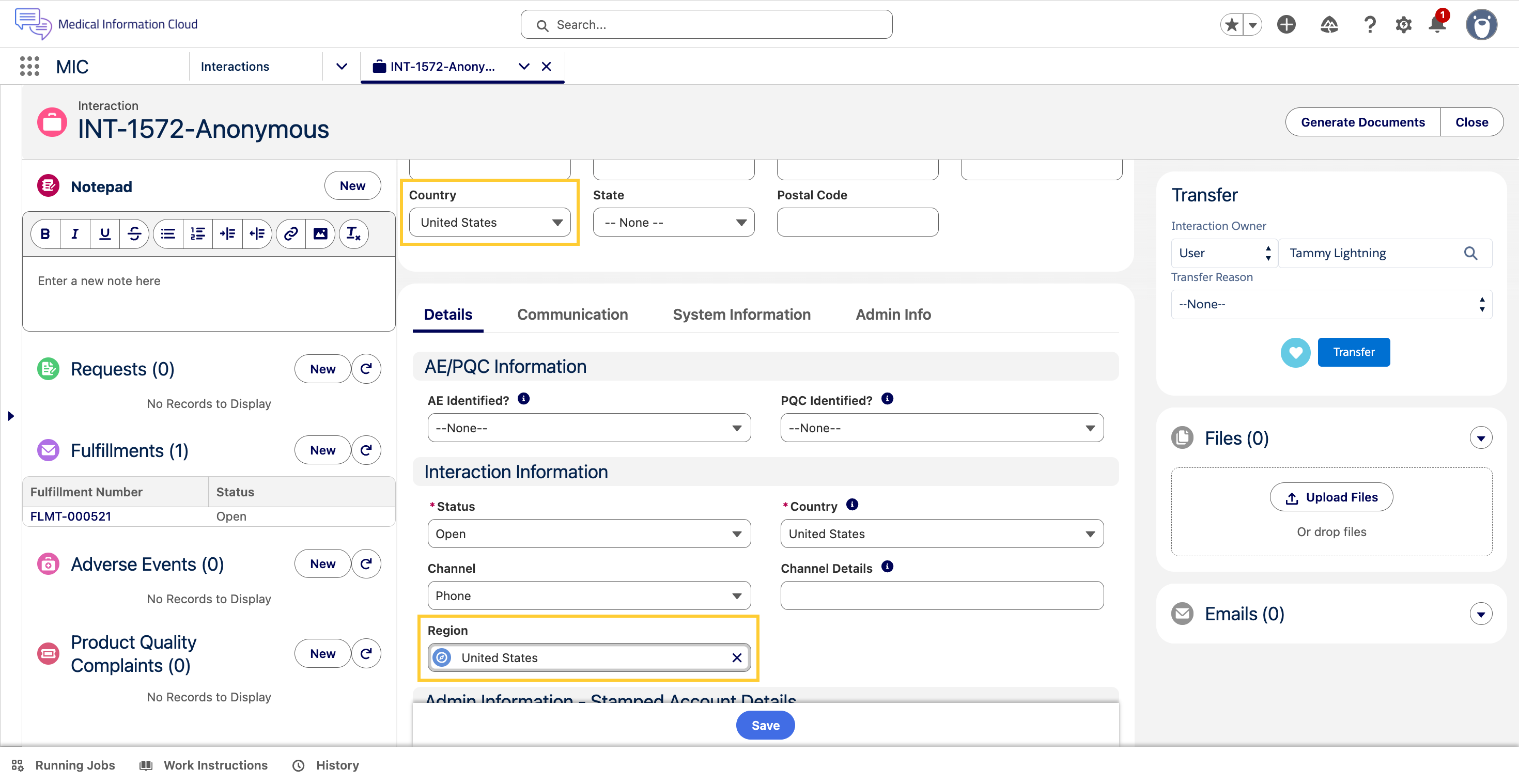
The Region (mvn__MED_Region__c) lookup field on the Interaction (Case)
object points to the Region (mvn__Region__c) record whose Country ISO
Code (mvn__Country_ISO_Code__c) matches the value of the Country
(MED_Country__c) picklist on the interaction. The Set Case Region
trigger action keeps the lookup in sync: when the Country field is set
or changed, the trigger action stamps the matching Region record's ID
on the lookup, or clears the lookup if no Region record matches.
Read access to the field is granted by the Medical Information Cloud Admin
(MED_Medical_Information_Cloud_Admin) and Medical Information Cloud User (MED_Medical_Information_Cloud_User) permission sets.
For product documentation and to enable it for existing orgs, refer to the Region lookup on Interaction section.
Related work item(s): MIC-4001
Digital Fulfillment and cover letter enhancements
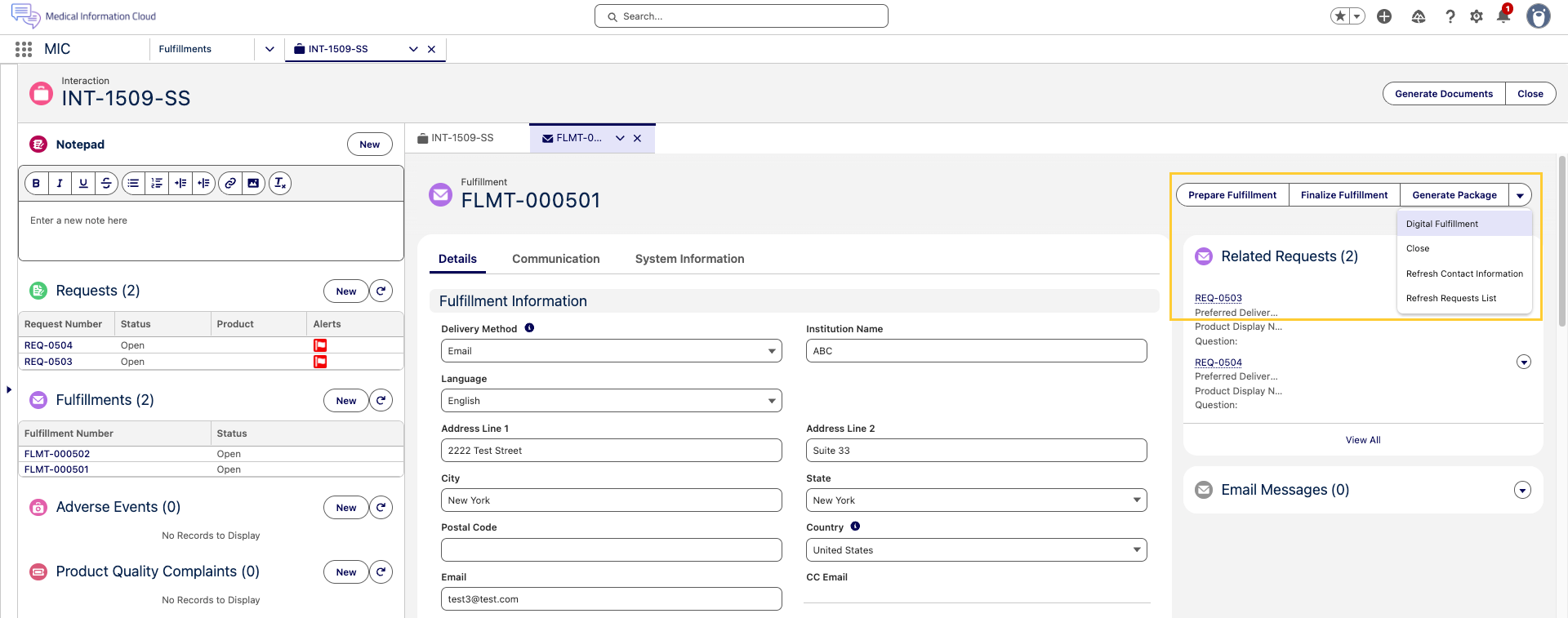
Medical Information Cloud now ships an updated Fulfillment flow that separates cover letter assembly from final document delivery. Fulfillment specialists can prepare and review the cover letter and the case documents independently, then merge the resulting PDFs into a single finalized package before sending. The new flow uses the Lightning email composer for digital delivery and replaces the legacy Configure Fulfillment Package modal title with Enhanced Email Composer to better reflect what users see on the screen.
To support the new flow, the Fulfillment (MED_Fulfillment__c) object has two new rich text fields:
-
Questions (
MED_Questions__c) - It holds the list of questions answered by the fulfillment. The field is populated automatically when the Digital Fulfillment (MED_Generate_Fulfillment_Letter) quick action is used and is also refreshed by the Refresh Request List (MED_Refresh_Request_Fulfillments) quick action. -
Attachments (
MED_Attachments__c) - It holds the list of files to be sent as attachments with an email fulfillment. The field is refreshed automatically whenever files are attached to or removed from the Fulfillment (MED_Fulfillment__c) record.
The new Fulfillment flow is exposed on Fulfillment records through two new quick actions:
-
Prepare Fulfillment (
MED_Merge_Cover_Letter) - It opens a modal where the user selects cover letter components and case documents, reorders them, and chooses delivery options for each section. When the user clicks Merge, Medical Information Cloud generates one PDF for the cover letter components and a second PDF for the case documents. -
Finalize Fulfillment (
MED_Finalize_Merge_Letter) - It opens a modal that lists the files generated by Prepare Fulfillment in the desired final order. When the user clicks Merge, Medical Information Cloud combines the selected files into a single final fulfillment package PDF and deletes the intermediate documents.
The split between Prepare Fulfillment and Finalize Fulfillment preserves the formatting of each source document. Cover letter components and standard response documents are converted to PDF before being combined, which prevents the cover letter formatting (margins, fonts, headings) from being applied to the standard response document during the final merge.
To use this functionality, an administrator must add the new
Prepare Fulfillment (MED_Merge_Cover_Letter) and
Finalize Fulfillment (MED_Finalize_Merge_Letter) quick actions to the Fulfillment (MED_Fulfillment__c) page layout(s) in the org. The actions are not deployed to any specific page layout on upgrade.
Additionally, the legacy Generate Package (MED_Generate_Fulfillment_Package) and Email Fulfillment (MED_Email_Fulfillment) actions remain available on the Fulfillment (MED_Fulfillment__c) record so that customers who have not yet adopted the new flow can continue to use the existing process.
The new flow assumes that the Global Case Documents Template and Global Final Template DDP records exist and that the
Local Settings (MED_Local_Setting__mdt) record for each country references those DDPs in the Template Case DDP Name
(MED_Template_Case_DDP_Name__c) and Template Final DDP Name
(MED_Template_Final_DDP_Name__c) fields. Without those entries,
Prepare Fulfillment and Finalize Fulfillment will not produce the expected output.
For product documentation, including more information on how to use and configure Digital Fulfillment, reference the Digital Fulfillment section.
Related work item(s): MIC-4066, MIC-4191, MIC-4319
Account Search optimization for omnichannel workflows
The MIC - Case Accounts Quick Search
(mvn.medCaseAccountsQuickSearch) component, also known as the
Quick Search component or Account Search, is no longer scoped to the
Interaction (Case) object alone. Administrators can now add this
component to any object's Lightning Record Page or Experience Cloud
Object Page as long as that object has a relationship to the
Interaction (Case) object. This unblocks Account Search on
omnichannel surfaces such as the Messaging Session record page, where
representatives must locate or create an account before opening an
interaction.
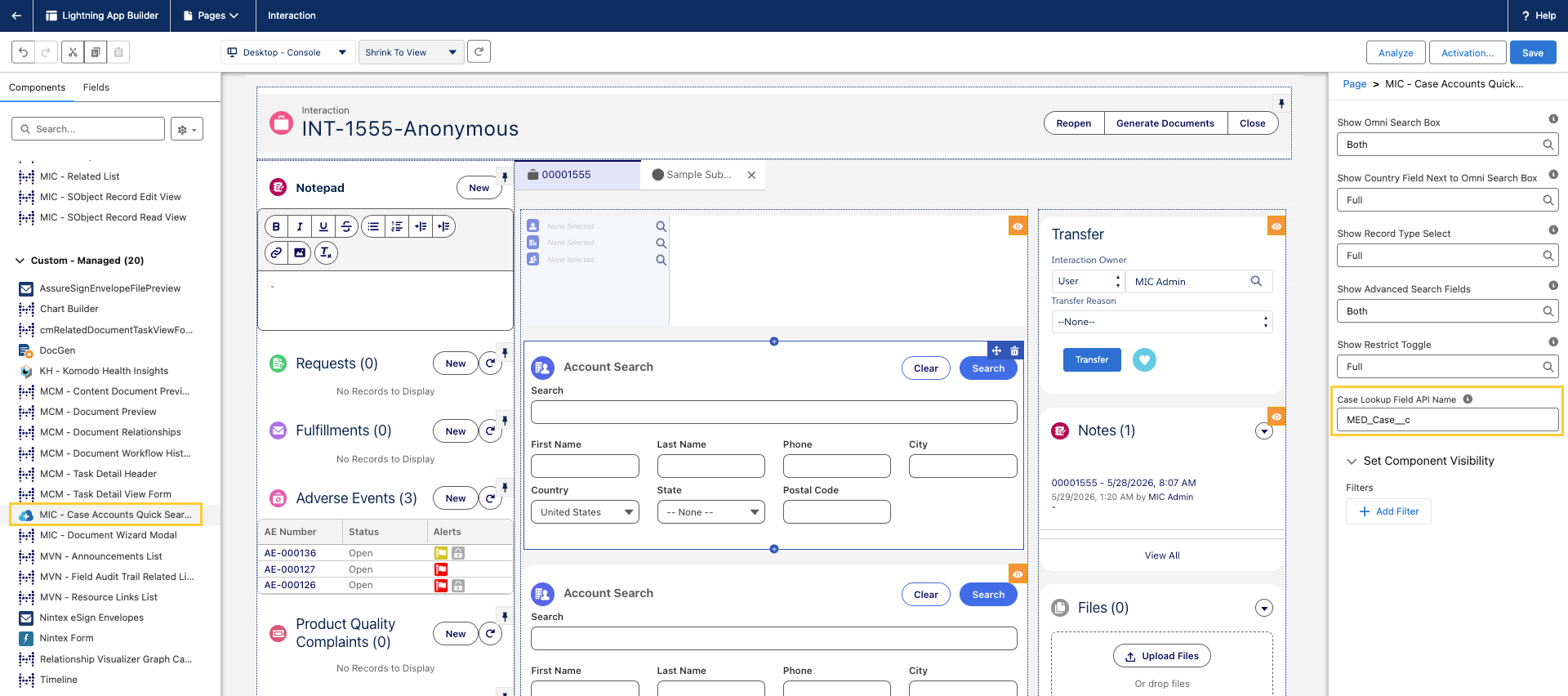
To support generic placement, the component exposes a new Case Lookup
Field API Name property and a new Apex method
(MED_AccountSearchCtrl.getObjectApiNameByRecordId) that resolves the
host object's API name at runtime. If the Case Lookup Field API Name
property is left blank, the component falls back to the standard
mvn__MED_Case__c lookup field to preserve the previous behavior for
customers whose custom objects already use that lookup convention.
For product documentation, including step-by-step configuration in the Lightning App Builder, reference the Quick Search component section.
Related work item(s): MIC-3144, MIC-3971
Configurable Content Search with Data 360 support
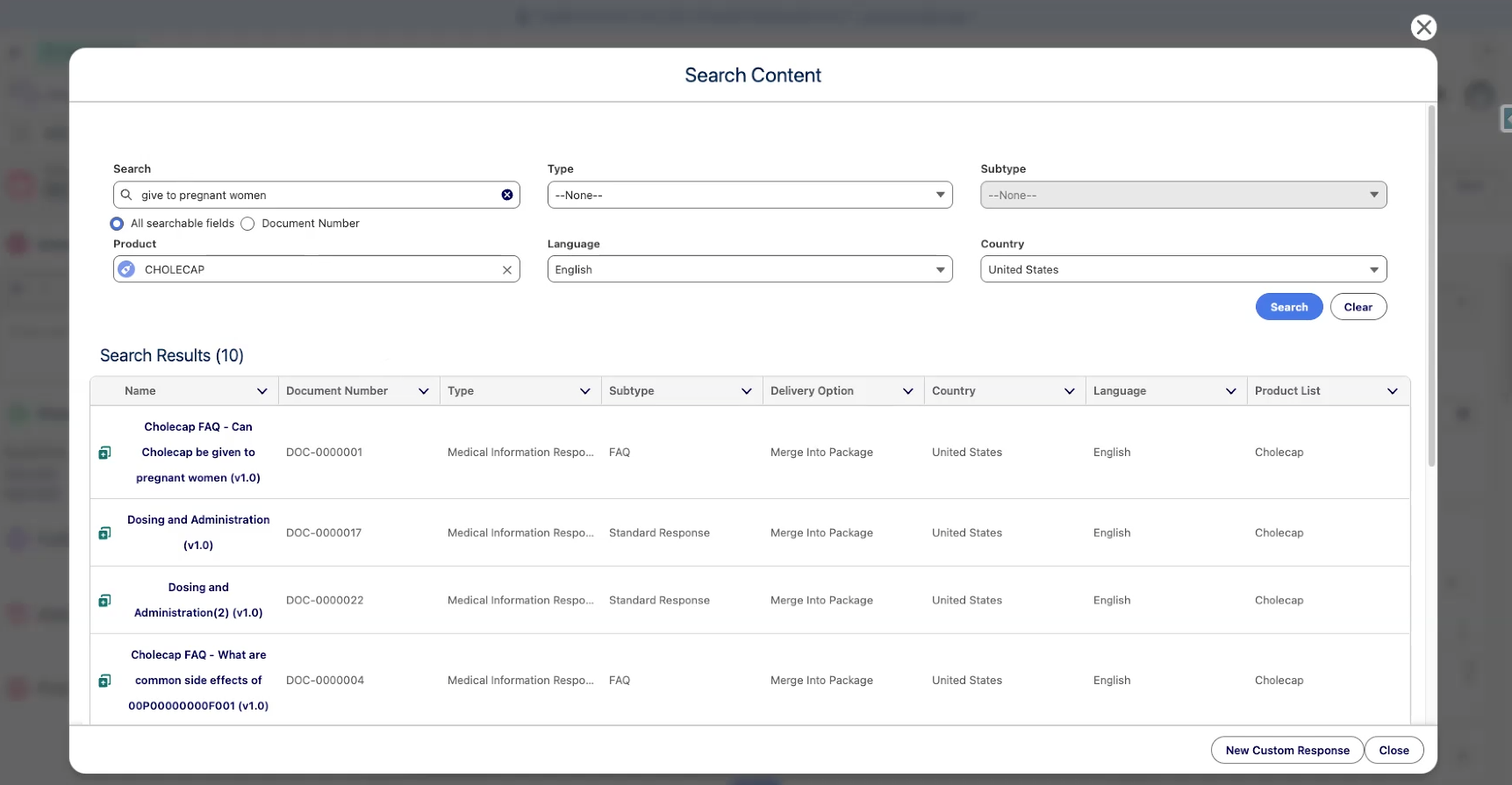
Medical Information Cloud now gives administrators per-request control over whether a Regulated Content Cloud published-document search runs against standard Einstein search or Data 360. A new custom metadata type, Content Search Settings (mvn__CM_Content_Search_Settings__mdt), holds records whose criteria match attributes of the inbound search — such as Country, Channel, or whether the request originates from the published-document service. When a record matches, its Search Algorithm, Search Type, Search Index, Data Space, and Min Search Score are applied to the request before it runs.
Data 360 is a new content search backend introduced in Spring '26. Administrators can, for example, route US published-document searches to Data 360* while keeping other countries on Einstein, or limit Data 360 to phone-channel searches. When no Content Search Settings record matches an inbound request, the search falls back to standard Einstein search.
For product documentation, including configuration steps and criteria examples, see Content Search Configuration.
Related work item(s): MIC-4568
Updated features
Presubmit Validation for Adverse Events
Administrators can now enforce client-specific completeness checks on an Adverse Event (MED_Adverse_Event__c) record and its child records before the Adverse Event is submitted to safety, either through the Send To Safety (MED_Send_To_Safety) quick action or through the Generate E2B (MED_Generate_E2B_Action) quick action (if added in the Page Layout).
A new Run Presubmit Validation (MED_Run_Presubmit_Validation__c) checkbox field is available on the Adverse Event (MED_Adverse_Event__c) object and its child objects.
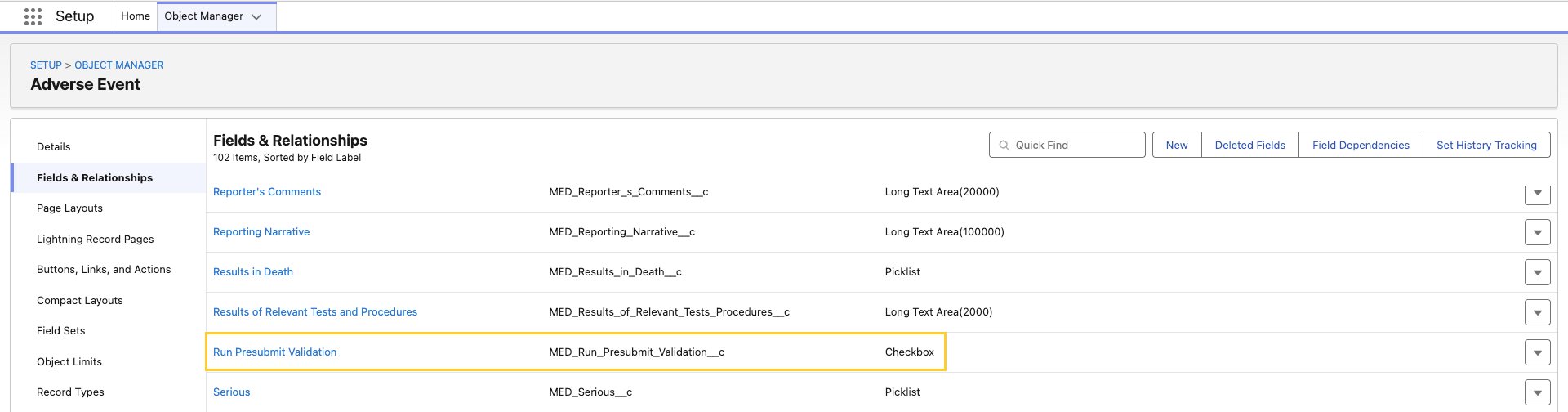
For product documentation, including detailed information on how to configure and use this new feature, reference Presubmit Validation for Adverse Events.
Related work item(s): MIC-4136, MIC-4238
Initial focus on the Notepad component when opening an Interaction
To reduce the number of clicks needed before a user can start typing
notes during a call or while triaging an Interaction (Case), the
Notepad (medNotepad) Lightning component now places the cursor in its
rich text editor automatically when the Interaction record page loads.
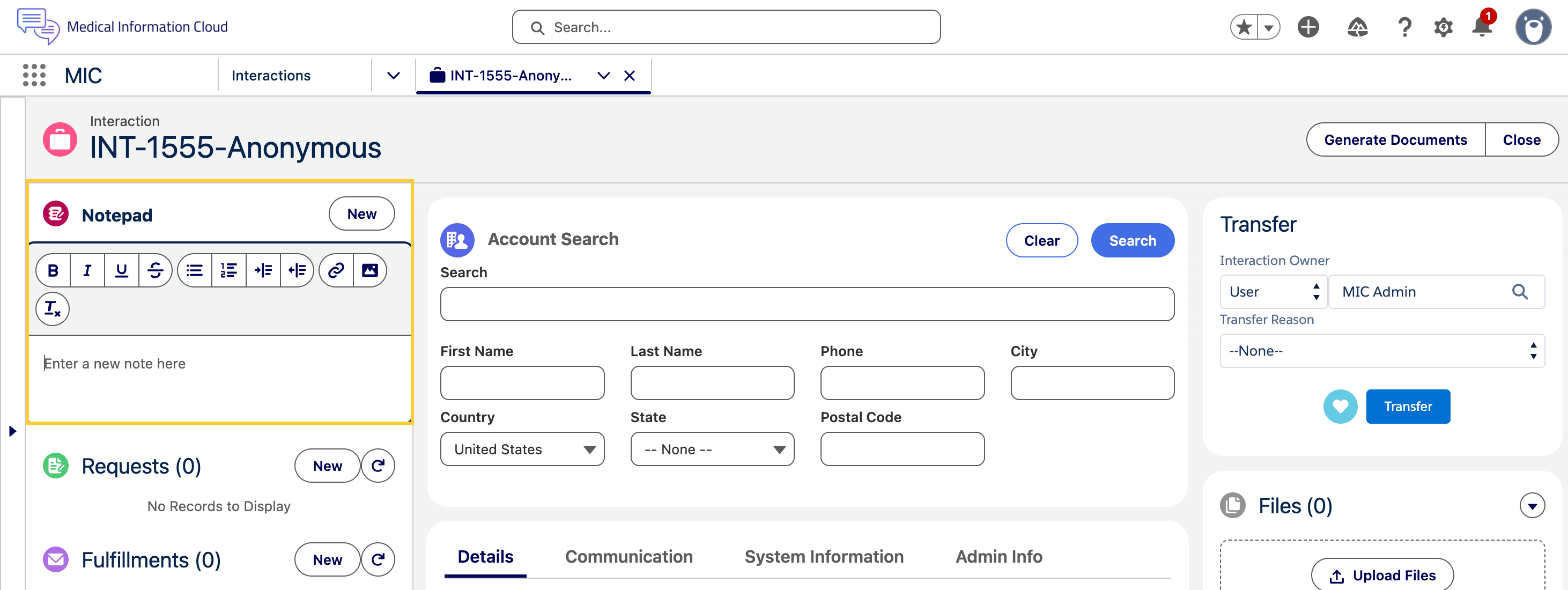
Earlier, the page opened with focus on the Name (First Name/ Last Name) field of the Account Search widget, which required users to manually click into the Notepad before they could begin typing.
This change applies to both new and existing Interaction records and runs once per page load. If the Notepad component is not on the Interaction's Lightning record page, the application falls back to the standard Salesforce default focus behavior for that page (typically the first editable field in the Highlights Panel or Layout). This update is shipped "on" by default for all customers and no additional configuration is required.
Reference the Notepad section for more details.
Related work item(s): MIC-1382
Product Mapping setup for MIR integration
Product matching for Medical Information Requests (MIRs) is now simpler and more predictable. When a request comes into MIC Inquiry Management via integration, MIC always evaluates the Value Mappings first to find a matching MED_Product__c record. If no match is found in the Value Mappings, MIC then falls back to matching a MED_Product__c record by the value in its Name field.
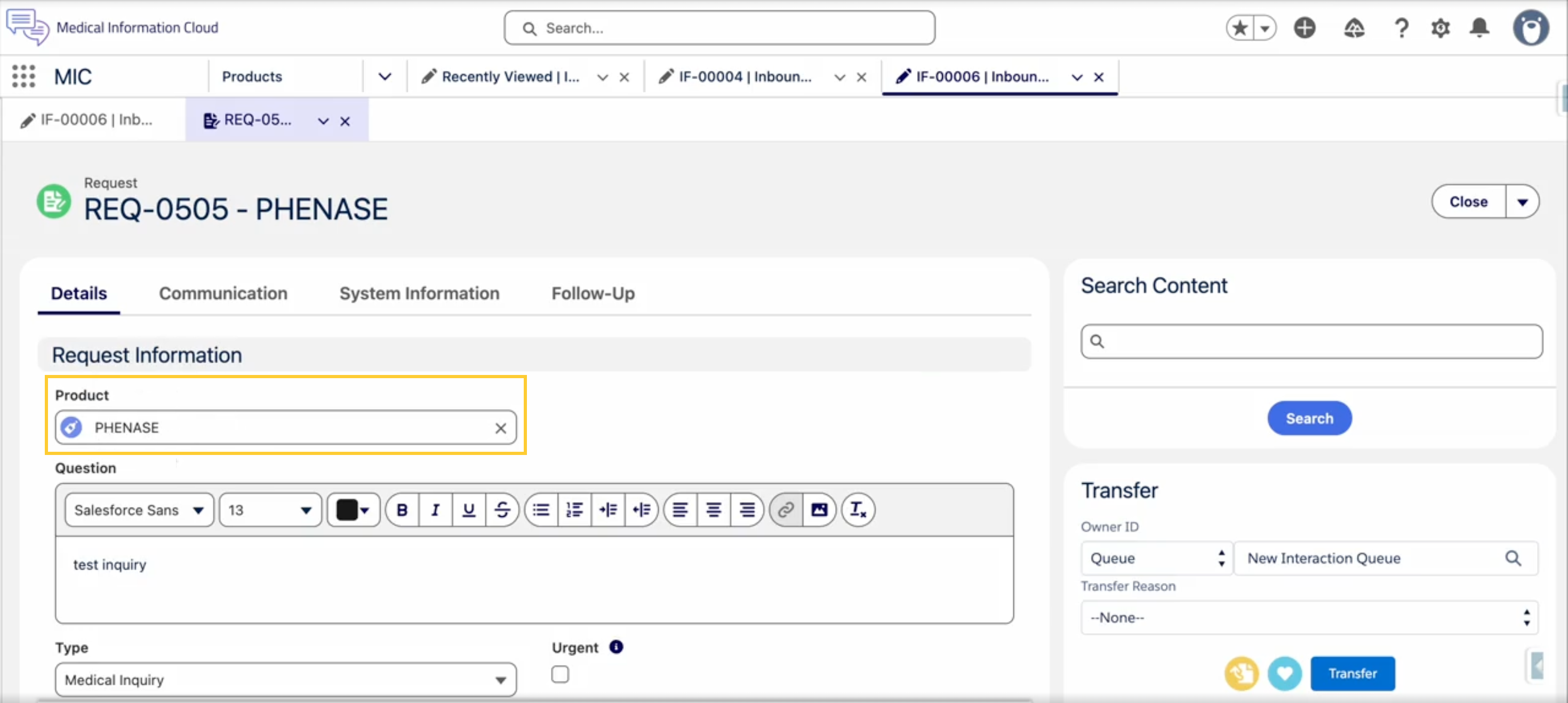
The Product Match Strategy Global Setting has been removed because it was redundant. Previously, applying a value mapping required two steps: adding the entry to the Value Mapping table and toggling the Global Setting to use the mapping. Now, creating the mapping is all that's required — MIC honors the Value Mapping table automatically whenever it contains entries. If the Value Mapping table is empty, behavior is unchanged - MIC matches products by Name, exactly as before.
See Inbound Forms for details.
Related work item(s): MIC-4222
E2B Changes
Changes to the E2B module only apply if the optional mic-e2b package is selected during upgrade.

Unique filenames for generated E2B (ICSR) files
Generated E2B (ICSR) XML files now include the Adverse Event Name in their filename so that each generated file is uniquely identifiable.
ICSR Batch Number (MED_ICSR_Batch_Number__c) is the field where the identifier is stored.

The new filename pattern is ICSR_<yyyyMMddHHmmss>_<Adverse Event Name>.xml.
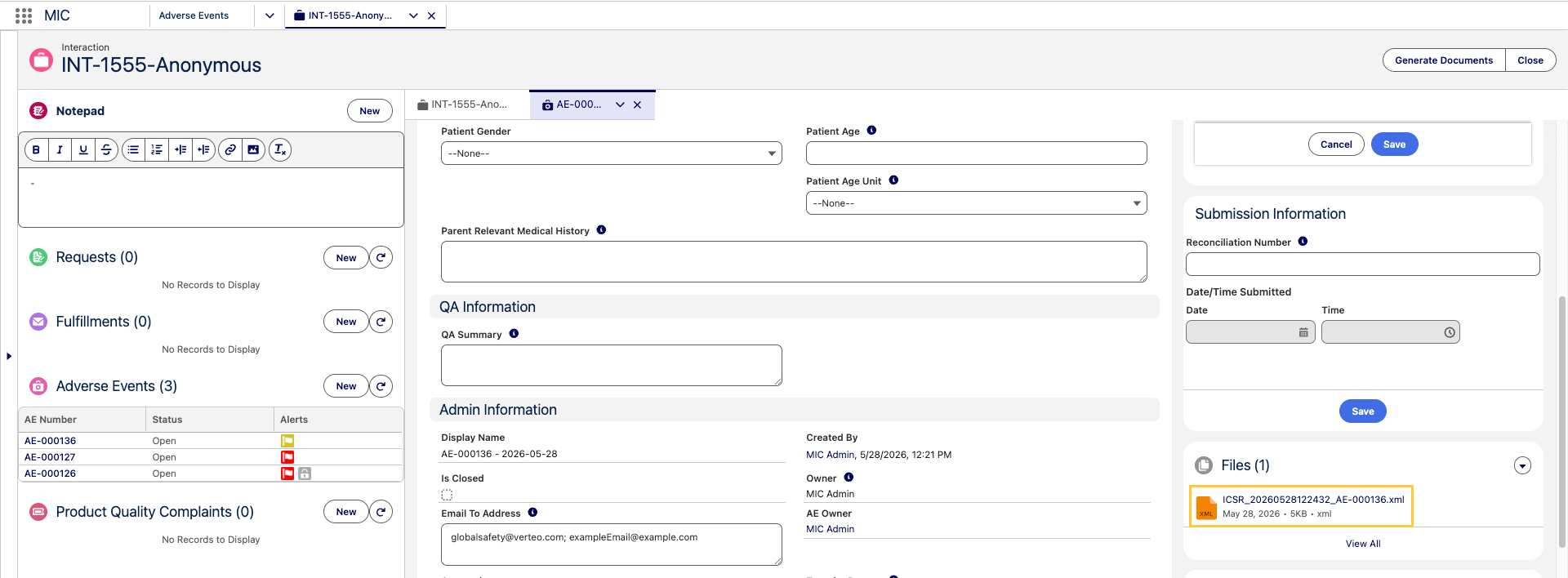
Reference the E2B(R3) generation section for more details.
Related work item(s): MIC-4277
Global MedDRA Version Setting for E2B
The MedDRA version for E2B submissions is now configured as a single global value in E2B Settings, rather than mapped individually per field. Because the E2B specification requires the same MedDRA version across an entire file, administrators now set it once and it is applied automatically whenever a MedDRA term is used. If no MedDRA term is available, no version is set.
All existing MedDRA Version (MedDRA_version) field mappings are deprecated (see Deprecated and deleted items) and should be migrated to the Global Setting. Existing configurations remain backward compatible, and any local override that is set continues to take precedence over the Global Setting. After upgrading, set the MedDRA version in E2B Settings.
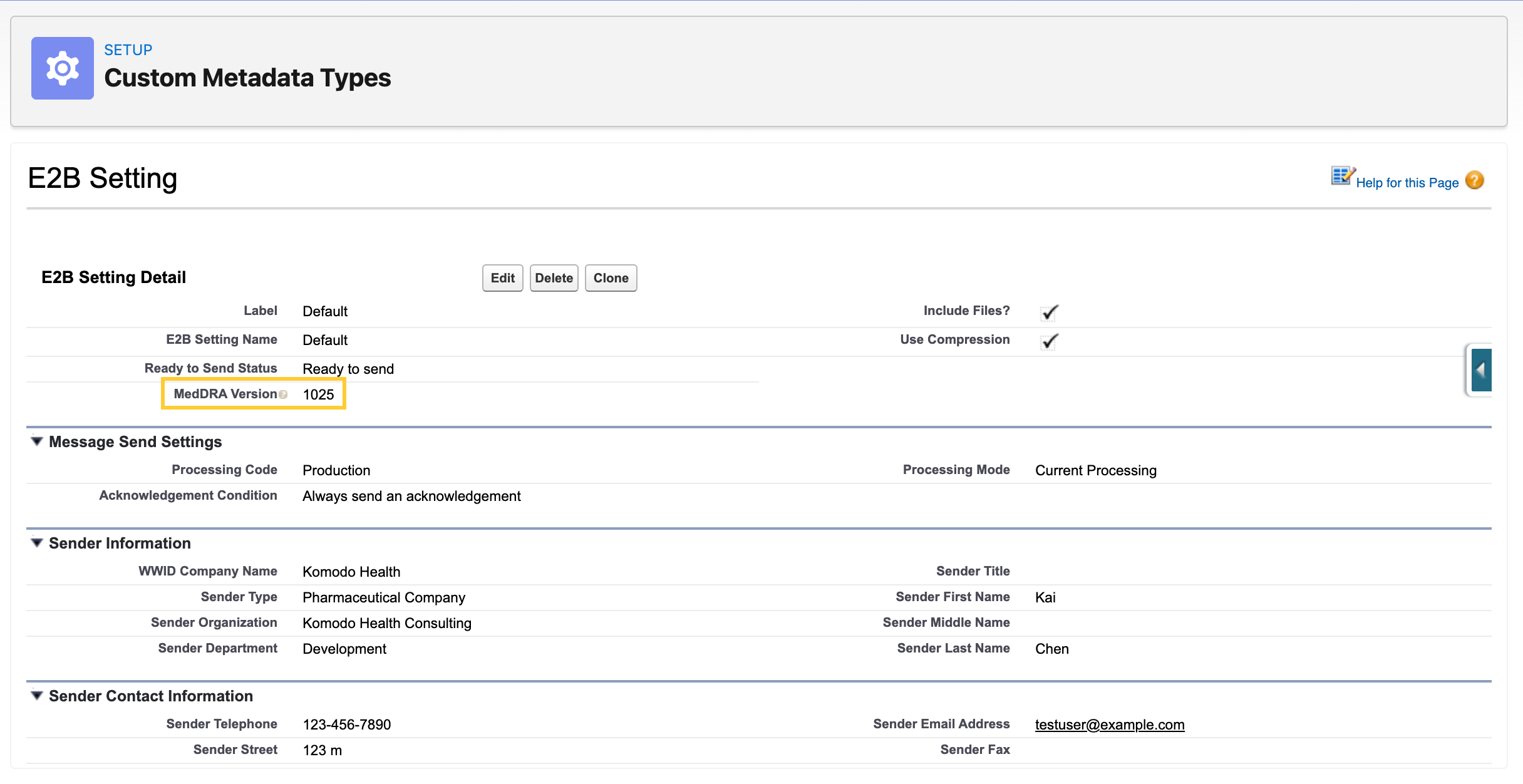
For configuration steps, see Set the global MedDRA version on the E2B Setting custom metadata record below. For the broader E2B(R3) feature reference, see the E2B(R3) generation section on the Primary objects page.
Related work item(s): MIC-3909
Defect fixes and maintenance
The following items detail defects and maintenance fixes in the Spring '26 release.
Enhanced Record Edit shows incorrect layout after PQC submission
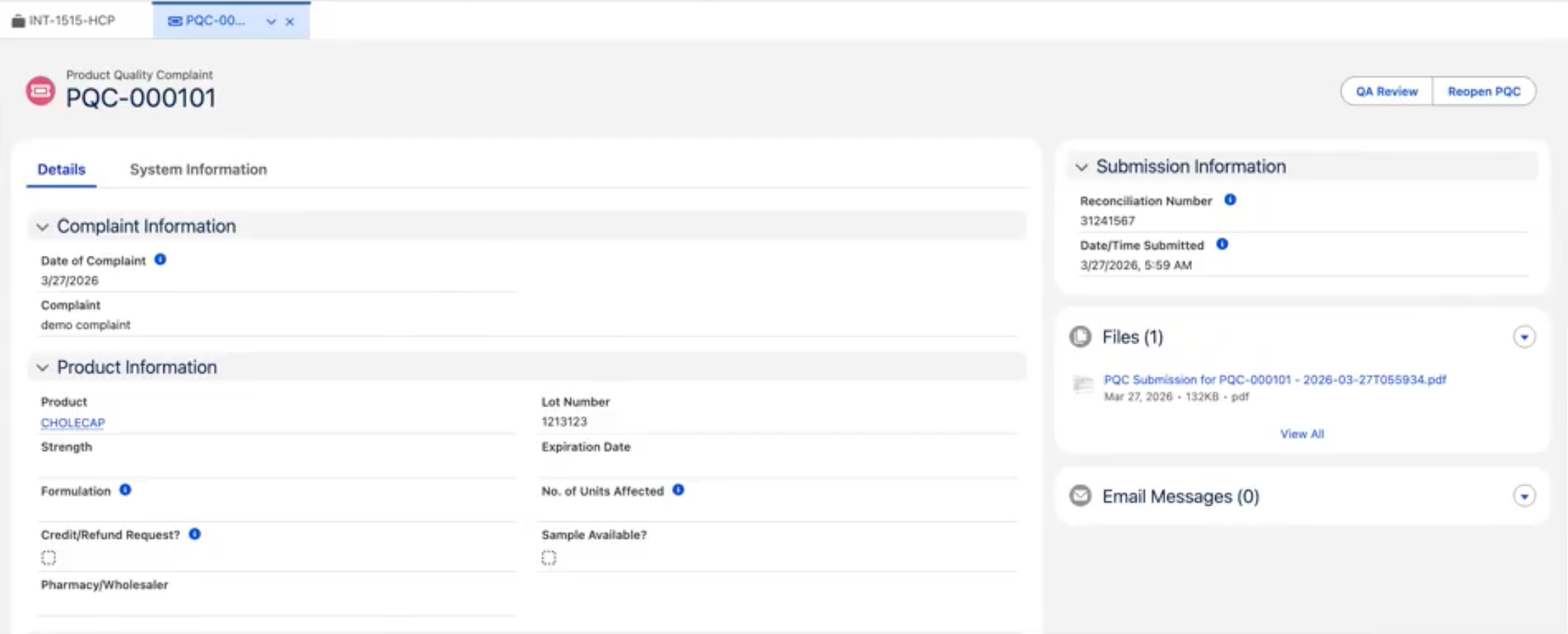
After a PQC record's Status is set to Submitted, the Enhanced Record Edit (medEnhancedRecordEdit) component loaded with the wrong layout and kept all fields editable until the user manually refreshed the browser.
The component now re-evaluates its layout whenever the underlying record's Status changes, so the correct read-only layout is applied immediately after submission.
Related work item(s): MIC-4333
Toast notifications broken after platformShowToast deprecation
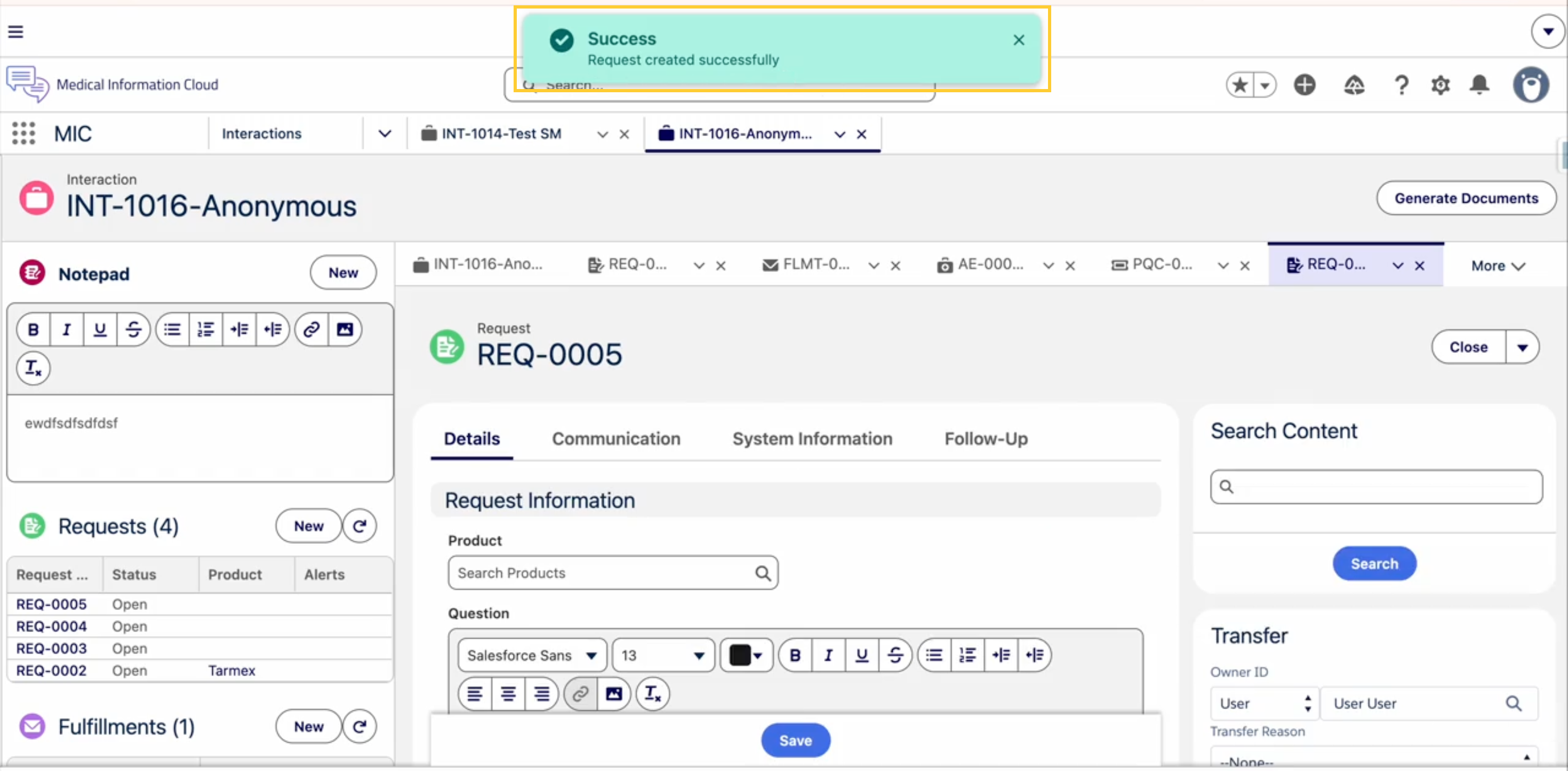
When Salesforce disabled the legacy platformShowToast event, it led to broken toast notifications across MIC.
All affected components were updated to use the supported lightning/toast module so that toast notifications display correctly.
Related work item(s): MIC-4332
Cloning a closed Request creates record with wrong Record Type
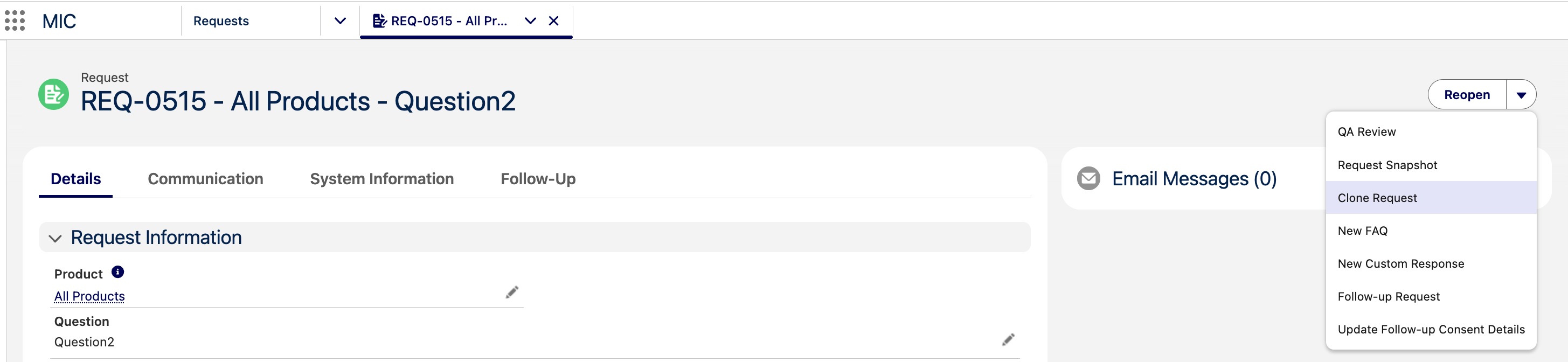
Previously, cloning a closed Request created a new record with Status = Open but the wrong Record Type (MED_Request_Closed), leaving users unable to edit the cloned Request without first reopening it.
Cloned Requests are now created with the correct values — Status = Open and Record Type = MED_Request — and are ready to edit.
Related work item(s): MIC-4330
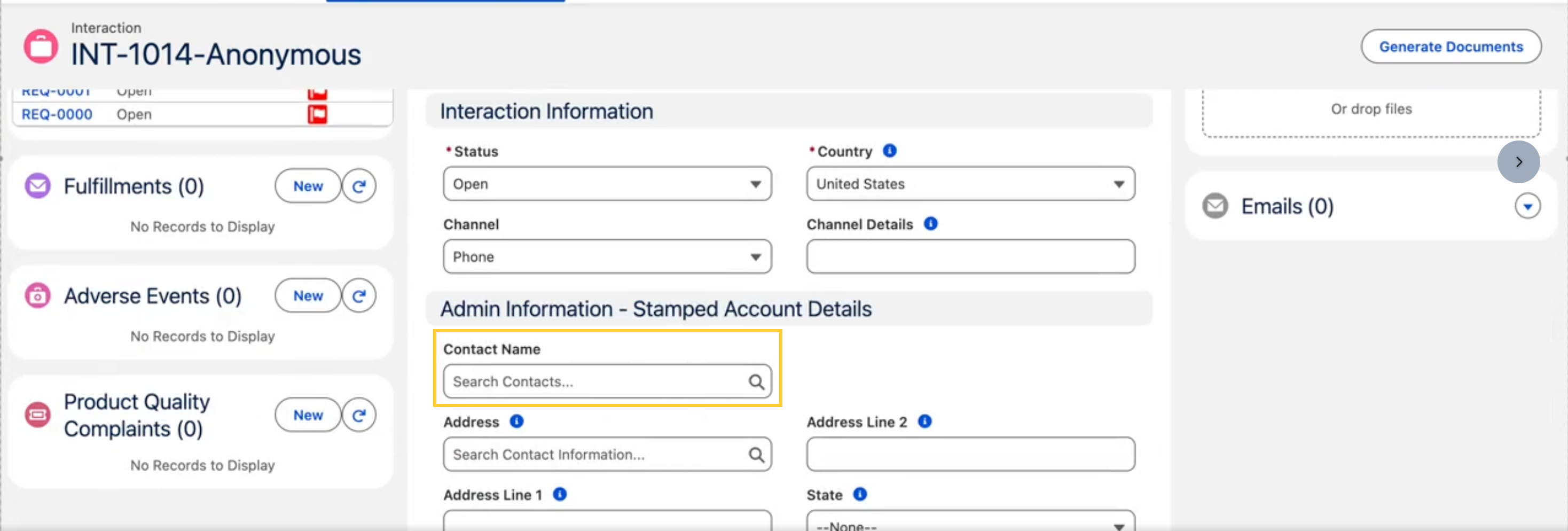
Unable to remove or change the Account on a Case
Previously, Case agents could not remove or change the Account on a Case created by Email-to-Case, making it impossible to correct incorrectly matched Email-to-Case records. When an Account was cleared, the underlying Person Account automatically re-associated through the retained ContactId, so the change failed to persist after saving.
The Case trigger framework now monitors changes to the AccountId field. When a user clears or changes the AccountId on a Person Account, the logic explicitly clears the ContactId to prevent the Person Account from re-associating.
Related work item(s): MIC-4283
Read-Only users unable to access MCM
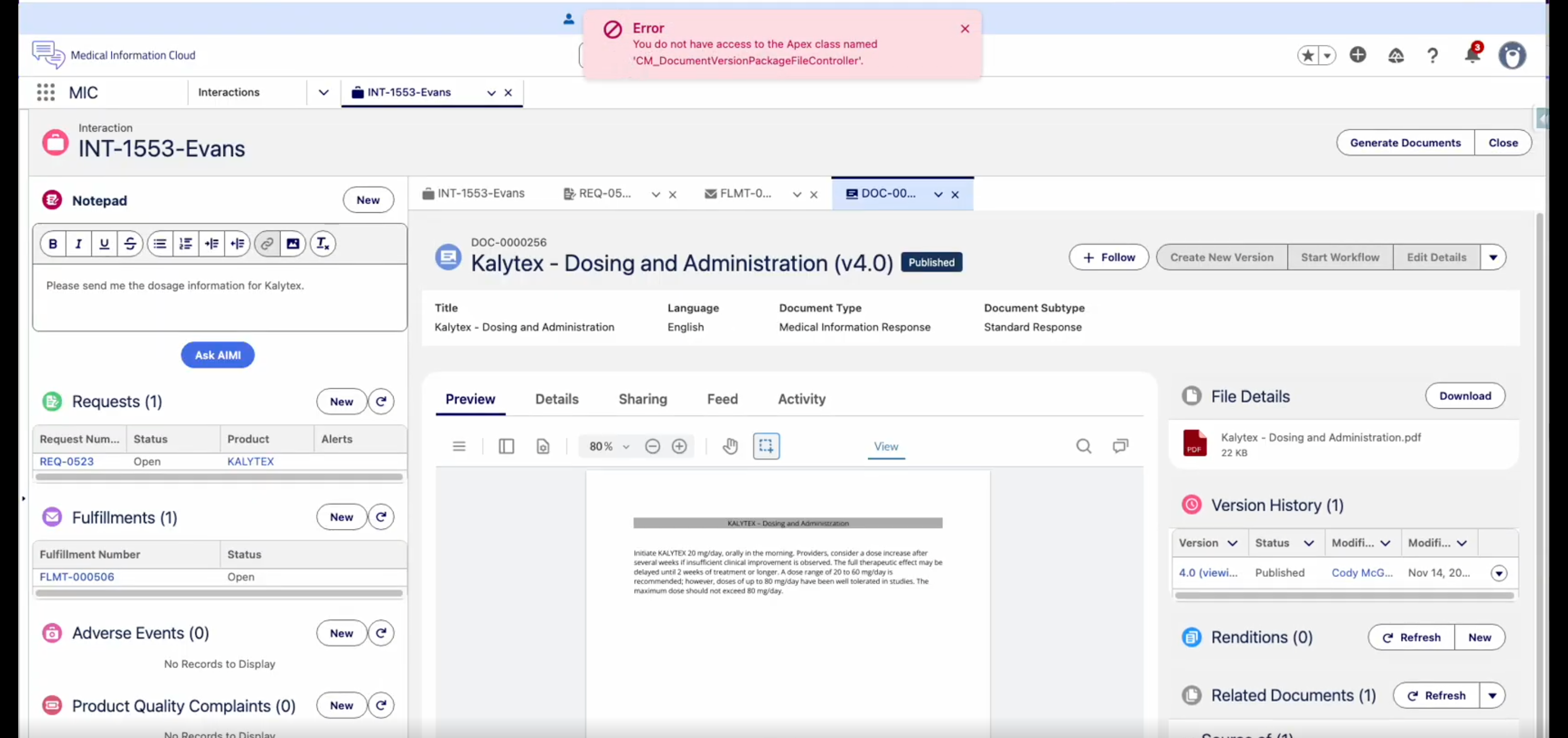
Previously, read-only users could not access MCM, which prevented them from previewing files in the Enhanced Document Viewer due to Apex access error.
The CM_ContentReadOnly permission set now includes the CM_DocumentVersionPackageFileController Apex class so users with Content - Medical User or Content Read Only permission sets can preview attached files in the Enhanced Document Viewer without error.
Metadata changes
The following subsections capture the changes against entities in key areas of Medical Information Cloud that are introduced in this release. This list is scoped to the work items documented above and is not exhaustive of the full Spring '26 release.
Custom labels
Custom label changes are listed in the table below.
New custom labels
| Work item(s) | Custom label(s) |
|---|---|
| MIC-4319 | MED_Digital_Fulfillment_Email_Composer |
| MIC-4066 | MED_Prepare_Fulfillment MED_Finalize_Fulfillment MED_Cover_Letter_Files MED_Case_Documents MED_Files_Merged MED_Merge_Button |
Objects
Object changes are listed below.
New object fields
| Work item(s) | Object | Field(s) |
|---|---|---|
| MIC-4001 | Case | mvn__MED_Region__c (Lookup to mvn__Region__c) |
| MIC-4191 | MED_Fulfillment__c | MED_Questions__c (Rich Text) MED_Attachments__c (Rich Text) |
| MIC-4238 | MED_Adverse_Event__cMED_AE_Drug_History__cMED_AE_Drug_Information__cMED_AE_Medical_History__cMED_AE_Primary_Source__cMED_AE_Reaction__cMED_AE_Results__c | MED_Run_Presubmit_Validation__c |
Custom metadata types
Custom metadata type changes are listed in the table(s) below:
New custom metadata types
| Work item(s) | Custom metadata type | Metadata record name(s) |
|---|---|---|
| MIC-4191 | mvn__MED_Fulfillment_Child_Summary__mdt | Fulfillment Child Summary |
New custom metadata type fields
| Work item(s) | Custom metadata type | Field(s) |
|---|---|---|
| MIC-3909 | MED_E2B_Setting__mdt | MED_MedDRA_Version__c |
| MIC-3861 | MED_E2B_Setting__mdt | MED_Sender_Fax__c |
| MIC-4066 | mvn__MED_Local_Setting__mdt | MED_Template_Case_DDP_Name__c MED_Template_Final_DDP_Name__c |
Apex classes
Apex class changes that are exposed to customer extensions and integrations are listed in the table(s) below:
New global Apex classes
| Work item(s) | Class | Description |
|---|---|---|
| MIC-4568 | mvn.CM_DocumentSearchRequest | Request DTO that bundles every search input — keyword, filters, paging, region codes, and custom attributes — for the published-document and document-version search services. Adds an addCustomAttribute(key, value) helper. |
| MIC-4191 | mvn.MED_FulfillmentSummaryOrchestrator | Internal only - a bridge between the namespace and non-namespaced MIC code. |
Modified global Apex classes
| Work item(s) | Class | Modification description |
|---|---|---|
| MIC-4568 | mvn.CM_PublishedDocumentService | Adds a primary executeSearch(CM_DocumentSearchRequest req) method. The previous 7-argument and 8-argument overloads remain as back-compat shims that build a request and delegate. |
| MIC-4066 | MED_FulfillmentPackageDataProvider | New callable actions are exposed: getCaseTemplateDDPNameForCountry, getFinalTemplateDDPNameForCountry, getCoverLetterFilesList, getFulfillmentCaseDocsFilesList, getFinalFilesList, and setFinalDDPFiles. These power the new Prepare Fulfillment and Finalize Fulfillment modals. |
| MIC-4191 | MED_RequestFulfillmentsCreator | After Request Fulfillment records are created or refreshed, the trigger handler now invokes MED_IFulfillmentSummaryOrchestrator.summarizeFulfillmentChildren on the affected Fulfillment records and persists the resulting HTML on the Fulfillment in the same transaction. |
| MIC-4238 | MED_AEChildObjectsUpdate | Propagates the new MED_Run_Presubmit_Validation__c value from a parent Adverse Event to its child records when the value changes on the parent. |
Lightning components
Lightning component changes are listed in the table below.
Modified Lightning components
| Work item(s) | Component | Description |
|---|---|---|
| MIC-3144, MIC-3971 | medCaseAccountsQuickSearch (mvn namespace) | The component is no longer restricted to the Interaction (Case) object. A new caseLookupFieldName design property lets administrators specify the host object's lookup field to Interaction (Case), and the component resolves the host object API name automatically via MED_AccountSearchCtrl.getObjectApiNameByRecordId when the standard @api objectApiName value is not available. |
| MIC-3144, MIC-3971 | medNamespaceUtil (mvn namespace) | New CASE__CHILD_LOOKUP_FIELD constant (mvn__MED_Case__c) preserves the previous lookup convention when Case Lookup Field API Name is left blank. |
Permissions
Permission changes are listed in the table(s) below:
New permission sets
| Work item | Permission set | Description |
|---|---|---|
| MIC-4318 | AIMI Option / Ask AIMI (in MIC AIMI Setup) | Grants access to the AIMI Option custom metadata records and to the Apex classes that drive the AIMI prompt-selection actions. Administrators must assign this permission set to users who need to run the Ask AIMI actions. |
Modified permission sets
| Work item | Permission set | Modification description |
|---|---|---|
| MIC-4001 | MED_Medical_Information_Cloud_Admin | Added Read access to Case.MED_Region__c. |
| MIC-4001 | MED_Medical_Information_Cloud_User | Added Read access to Case.MED_Region__c. |
| MIC-4191 | MED_Medical_Information_Cloud_Admin | Added Read and Edit access to MED_Fulfillment__c.MED_Questions__c and MED_Fulfillment__c.MED_Attachments__c. |
| MIC-4191 | MED_Medical_Information_Cloud_User | Added Read and Edit access to MED_Fulfillment__c.MED_Questions__c and MED_Fulfillment__c.MED_Attachments__c. |
| MIC-4238 | MED_Medical_Information_Cloud_Admin | Grants read and edit access to the new MED_Run_Presubmit_Validation__c field on Adverse Event and Adverse Event child objects. |
| MIC-4238 | MED_Medical_Information_Cloud_User | Grants read and edit access to the new MED_Run_Presubmit_Validation__c field on Adverse Event and Adverse Event child objects. |
| MIC-4348 | MED_Manage_Reports_and_Dashboards, MED_View_Reports_and_Dashboards, MED_Create_Personal_Reports_and_Dashboards | Added Dashboards and Reports tabs. Corrected the spelling of the MED_Custom_Response permission set label. |
| MIC-4251 | CM_ContentReadOnly | Added CM_DocumentVersionPackageFileController Apex class access so users with Content - Medical User or Content Read Only permission sets can preview attached files in the Enhanced Document Viewer. |
Edit access to Case.MED_Region__c is intentionally not granted on MED_Medical_Information_Cloud_Admin and MED_Medical_Information_Cloud_User; the trigger action manages the value automatically. The System Administrator profile grants Edit access to the field for users who need to override it manually.
Quick actions
Quick action changes are listed in the table below.
New quick actions
| Work item(s) | Object | Quick action | Description |
|---|---|---|---|
| MIC-4066 | Fulfillment (MED_Fulfillment__c) | Prepare Fulfillment (MED_Merge_Cover_Letter) | Opens a modal to merge cover letter components into one PDF and case documents into a second PDF. |
| MIC-4066 | Fulfillment (MED_Fulfillment__c) | Finalize Fulfillment (MED_Finalize_Merge_Letter) | Opens a modal to combine the cover letter PDF and the case documents PDF into a single final fulfillment package PDF. |
Static resources
Static resource changes are listed in the table below.
Modified static resources
| Work item(s) | Static resource | Modification |
|---|---|---|
| MIC-4066 | MED_PostDeployData | The data-DDP/ddps.csv seed now includes the Global Case Documents Template and Global Final Template DDP records. The title of the Global Cover Letter Template DDP is updated to "Merged Cover Letter for <<Case_CaseNumber>> - <<Now__g>>". The data-DDP/delivery-options.csv seed now includes corresponding Finalize delivery options that point at the new templates. |
Deprecated and deleted items
The following entities are deprecated in the Spring '26 release and will no longer be available or supported in future releases.
Deprecated object fields
| Work item | Object | Field |
|---|---|---|
| MIC-3909 | MED_AE_Drug_History__c | MED_MedDRA_Version_for_Indication__c |
| MIC-3909 | MED_AE_Drug_History__c | MED_MedDRA_Version_for_Reaction__c |
| MIC-3909 | MED_AE_Drug_Information__c | MED_MedDRA_Version_for_Indication__c |
| MIC-3909 | MED_AE_Medical_History__c | MED_MedDRA_Version_for_Medical_History__c |
| MIC-3909 | MED_AE_Results__c | MED_MeDRA_Version_for_Test_Name__c |
-
Each of the deprecated fields above has been renamed with a
(DEPRECATED)prefix on its Label so that administrators can locate them on existing page layouts. The MedDRA version value is now sourced from the new MedDRA Version (MED_MedDRA_Version__c) field on theMED_E2B_Setting__mdtcustom metadata type. See Set the global MedDRA version on the E2B Setting custom metadata record below. -
The deprecated fields are still readable and writable in this release so that organizations with existing data can complete their migration on their own timeline. The E2B generator continues to honor a populated record-level value when present. Plan to remove these fields from your layouts and migrate any reporting that depends on them before Mavens removes them in a future release.
Required pre-upgrade actions
This section includes the required actions administrators must take before installing or upgrading to the Medical Information Cloud Spring '26 release.
Enable Lightning Web Security
Lightning Web Security (LWS) must be enabled to install or upgrade to Medical Information Cloud Spring '26; otherwise, the operation fails.
For instructions, see Salesforce's Enable Lightning Web Security in an Org.
Required post-upgrade actions
This section includes the required actions administrators must take after installing or upgrading to the Medical Information Cloud Spring '26 release.
Create the Trigger Action custom metadata records
After you install or upgrade to Medical Information Cloud Spring '26, create three Trigger Action (mvn__TAF_Trigger_Action__mdt) records to turn on the behavior described below. If you upgraded from V16 or V17, create four more. This takes about 10 minutes per org.
| Record | What it does |
|---|---|
| Fulfillment Content Doc Link | Updates the Attachments (MED_Attachments__c) field on a Fulfillment (MED_Fulfillment__c) when a file is attached to or removed from it. |
| Fulfillment Content Document | Updates the Fulfillment's Attachments field when a file is deleted. |
| Refresh Notepad | Refreshes the Notepad on an Interaction when a note is created or edited. |
If you upgraded from V16 or V17, additionally create the following four Trigger Action records:
| Record | Purpose |
|---|---|
| Set Case Region | Keeps an Interaction's Region (mvn__MED_Region__c) lookup in sync with its Country. For details, see Region lookup on Interaction. |
| Case Clear Contact Requester Removal | Clears the contact on an Interaction when its account is changed or removed. |
| Field Audit: ContentDocument | Logs field changes on files to the field audit log. |
| Field Audit: ContentVersion | Logs field changes on file versions to the field audit log. |
You don't need to create these records if either of the following applies:
- You did a new Spring '26 install and ran MIC Setup.
- You ran the Deploy all trigger config step during an Advanced Upgrade.
The Deploy all trigger config step redeploys every standard Trigger Action record. This overwrites any changes you made to those records, such as to Order or Bypass Execution. To keep your changes, skip this step and create only the missing records, as described below.
Before you begin
- Sign in as a System Administrator or as a user with the Customize Application permission.
- Check whether any of these records already exist in your org. Skip any that do.
- You don't need to set up anything else. Every Medical Information Cloud org already includes the Case, Content Document Link, Content Document, and Content Version Trigger Setting records that these records reference.
Create the records
-
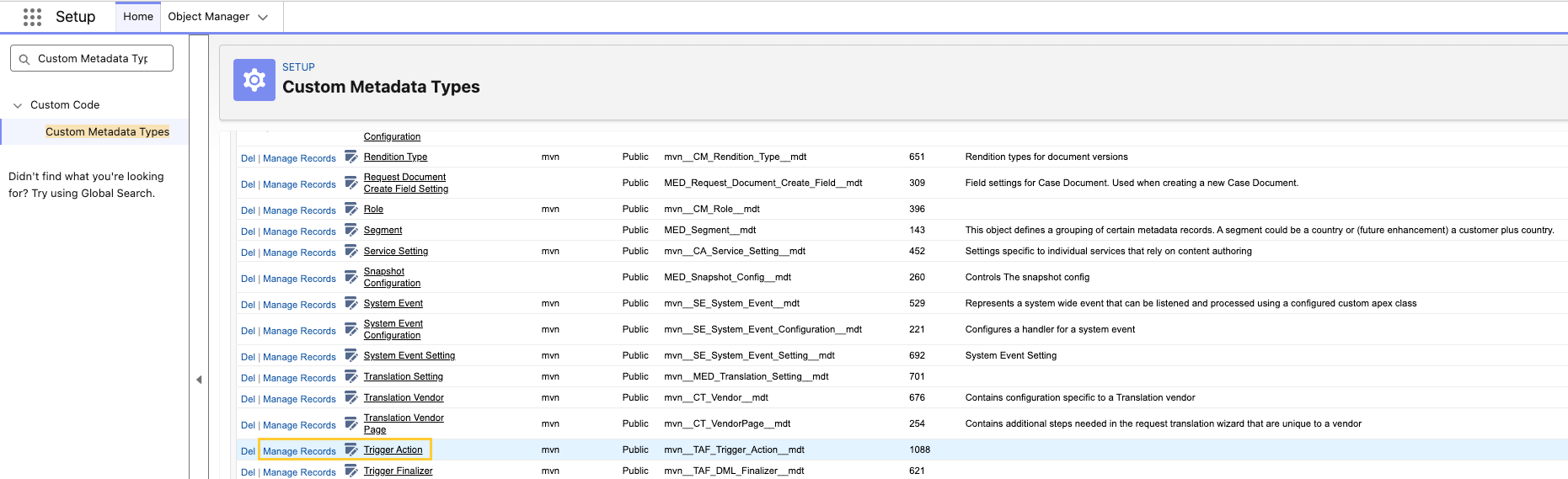
In Setup → Custom Metadata Types, navigate to Trigger Action and click Manage Records.
-
Click New.

-
Specify the following exactly as shown in the table below:
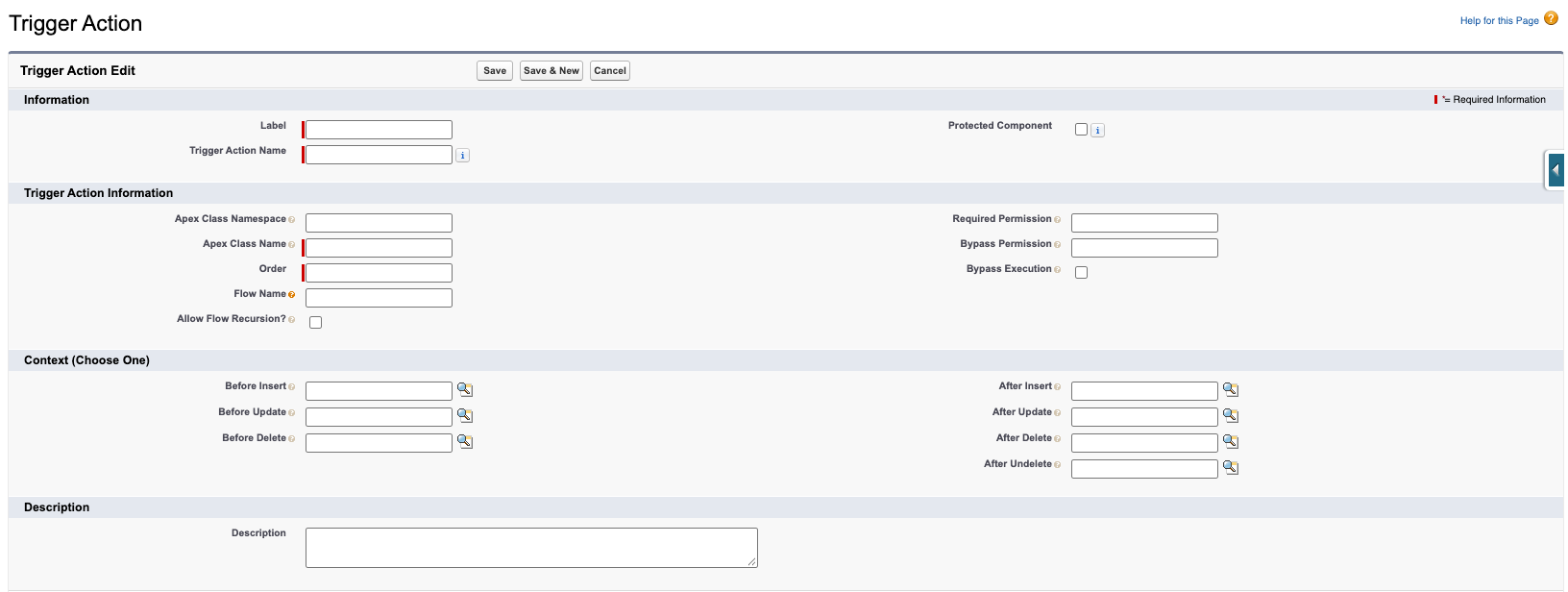
- Label
- Trigger Action Name
- Apex Class Namespace
- Apex Class Name
- Order
- Description
-
Fill in only the trigger context fields that have a value in the table (for example, After Insert). Each one is a lookup to a Trigger Setting record, so search for it by label, such as Content Document Link. Leave all other context fields blank.
-
Leave Bypass Execution and Allow Flow Recursion? unchecked, and leave Bypass Permission, Required Permission, and Flow Name blank.
-
Save.
Repeat steps 2–6 for each record. Changes take effect immediately, so you don't need to deploy anything.
| Field | Record 1 | Record 2 | Record 3 |
|---|---|---|---|
| Label | Fulfillment Content Doc Link | Fulfillment Content Document | Refresh Notepad |
| Trigger Action Name | Fulfillment_Content_Doc_Link | Fulfillment_Content_Document | MED_Refresh_Notepad |
| Apex Class Name | MED_FulfillmentContentDocLinkHandler | MED_FulfillmentContentDocumentHandler | MED_NotepadRefreshEvtPublisher |
| Apex Class Namespace | mvn | mvn | mvn |
| Before Delete | — | Content Document | — |
| After Insert | Content Document Link | — | Content Version |
| After Update | — | — | Content Version |
| After Delete | Content Document Link | Content Document | — |
| Order | 10 | 20 | 100 |
| Description | Rebuilds the Fulfillment Attachments summary when a file is linked to or unlinked from a Fulfillment. | Rebuilds the Fulfillment Attachments summary when a file is deleted. | Publishes a MIC platform event so the Notepad component refreshes when a note is created or changed. |
If you upgraded from V16 or V17, additionally create the following four Trigger Action records:
| Field | Record 4 | Record 5 | Record 6 | Record 7 |
|---|---|---|---|---|
| Label | Set Case Region | Case Clear Contact Requester Removal | Field Audit: ContentDocument | Field Audit: ContentVersion |
| Trigger Action Name | Set_Case_Region | Case_Clear_Contact_Requester_Removal | Field_Audit_ContentDocument | Field_Audit_ContentVersion |
| Apex Class Name | MED_SetCaseRegion | MED_CaseClearContactIdRequesterRemoval | MED_FieldAuditTrailHdlr | MED_FieldAuditTrailHdlr |
| Apex Class Namespace | mvn | mvn | — | — |
| Before Insert | Case | — | — | — |
| Before Update | Case | Case | — | — |
| After Update | — | — | Content Document | Content Version |
| Order | 130 | 55 | 60 | 60 |
| Description | Sets the case region based on the country. | Clears the contact ID on a case when its account ID is changed. | Stores field changes in the Field_Update_Audit_Log__b big object for field audit tracking. | Stores field changes in the Field_Update_Audit_Log__b big object for field audit tracking. |
The Apex Class Name must match the table exactly, character for character. If it doesn't, the trigger action won't run.
Verify the setup
- Attach a file: Upload a file to an open Fulfillment. The file appears in the Fulfillment's Attachments field.
- Delete a file: Delete that file from Files. It no longer appears in the Attachments field.
- Refresh the Notepad: Open the same Interaction in two browser tabs, then add or edit a note in one tab. The Notepad in the other tab updates without reloading the page.
- Set the region (records 4–7 only): On an Interaction, select a Country that has a matching Region record. On Save, the Region field is filled in automatically.
If a check fails, confirm that the Apex Class Name and Apex Class Namespace exactly match the table and that Bypass Execution is cleared.
The Attachments field appears only on Fulfillment page layouts that include it. Spring '26 adds it to the standard Fulfillment feed layouts, but customized layouts may not include it.
Related work item(s): MIC-4001, MIC-4191, MIC-4242, MIC-4283, MIC-4420
Optional post-upgrade actions
This section includes the optional actions administrators may want to take after upgrading to Medical Information Cloud Spring '26 to enable certain functionalities. Each action specifies the criteria for consideration, which details the conditions that must exist to warrant action by a customer.
Add Prepare Fulfillment & Finalize Fulfillment quick actions to your Fulfillment page layouts
The V18 upgrade adds the Prepare Fulfillment and Finalize Fulfillment quick actions.
To add the quick actions:
-
Configure Local Setting (
mvn__MED_Local_Setting__mdt) records, populate both fields on each record with a valid DDP template name before end users run the Prepare Fulfillment (MED_Merge_Cover_Letter) and Finalize Fulfillment (MED_Finalize_Merge_Letter) quick actions. If either field is missing, the quick actions will not produce the expected output. -
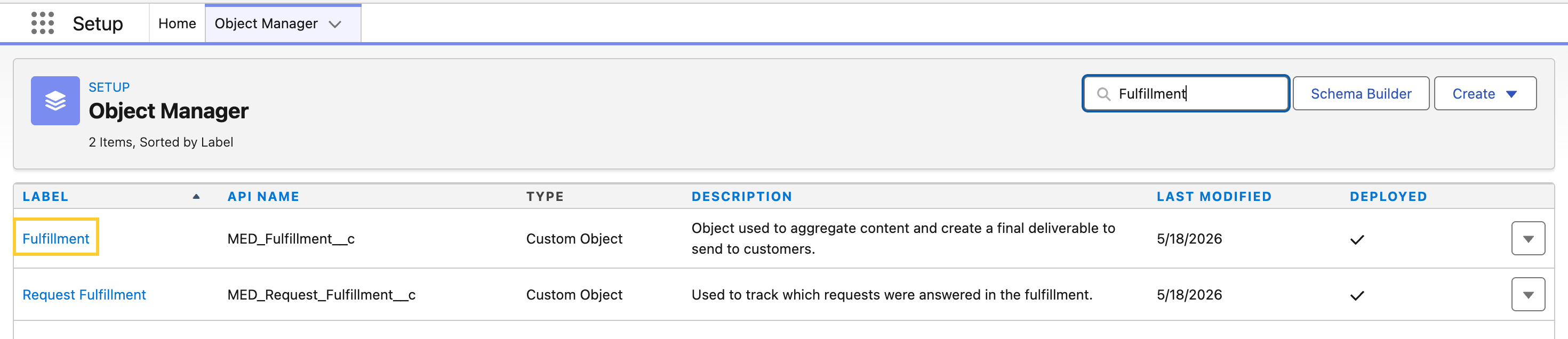
From Setup, open Object Manager and select Fulfillment.
-
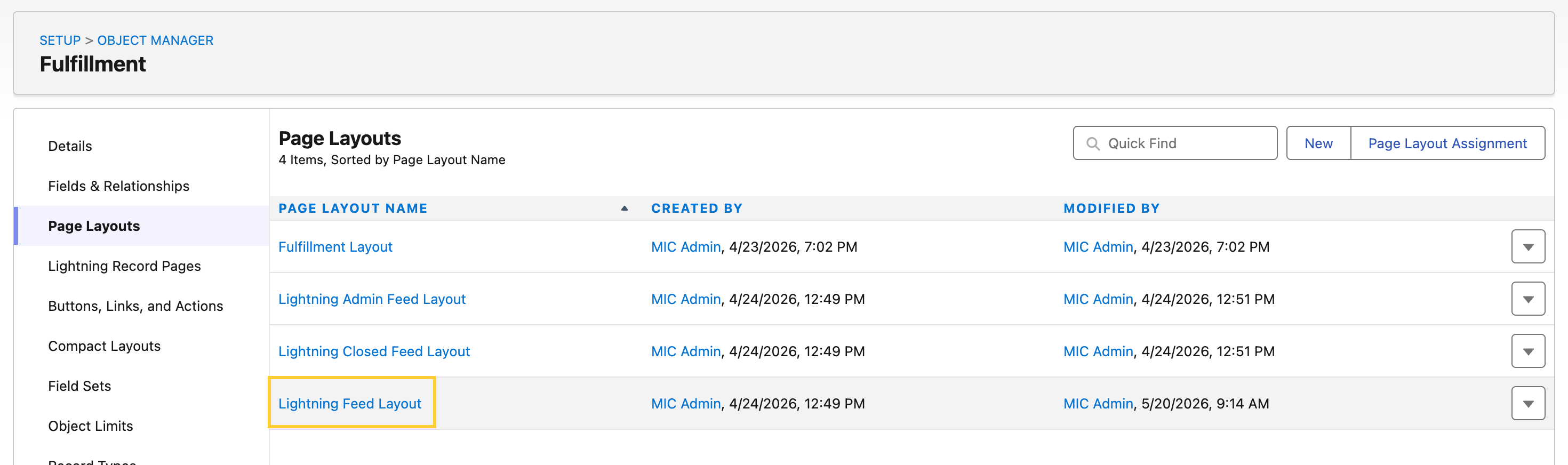
Click Page Layouts and open the layout your users are assigned (for example, Lightning Feed Layout or Lightning Closed Feed Layout).
-
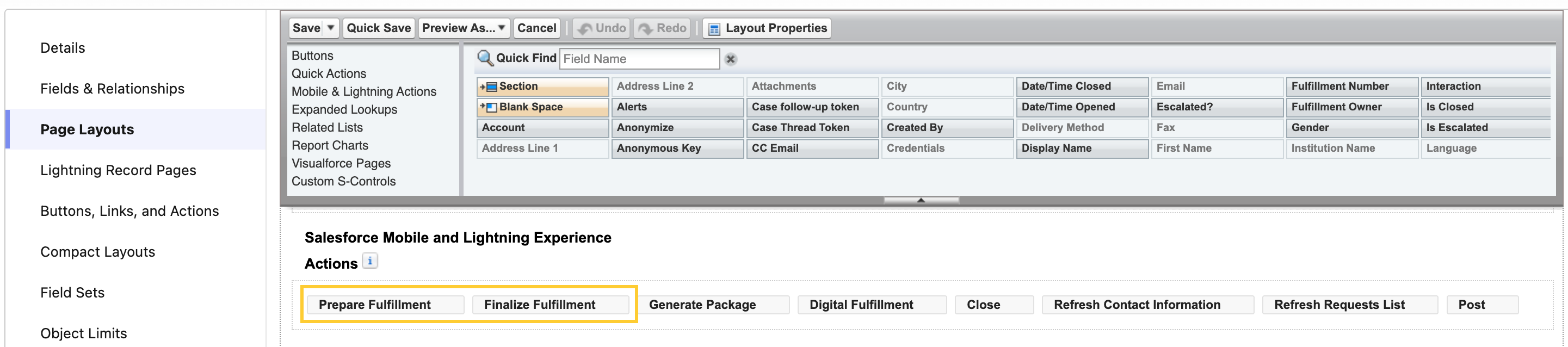
In the Salesforce Mobile and Lightning Experience Actions section, drag Prepare Fulfillment and Finalize Fulfillment into the actions list.
-
Click Save. Repeat for each affected layout.
Plan Data 360 prerequisites (only if you intend to enable Data 360)
Data 360 dispatch is a new optional capability in this release. If you plan to route any traffic to Data 360 after upgrading, prepare the following before you author Content Search Settings records:
- Confirm the Data Cloud DataKit and Data Lake Object (DLO) ingestion that backs Data 360 search is configured and running. The DataKit is a separate prerequisite to Content Search Configuration.
- Identify the DLO name to use as Search Index. The value must end
with
_index__dlm. - Confirm the Customer Data Platform data space the DLO lives in
(typically
default). - Decide on a minimum search score threshold between
0and1(for example,0.80).
If you do not plan to enable Data 360, no action is required. With no Content Search Settings records authored, V18 behaves the same as previous releases and every search runs on Einstein.
For configuration guidance, see Content Search Configuration.