KI-158
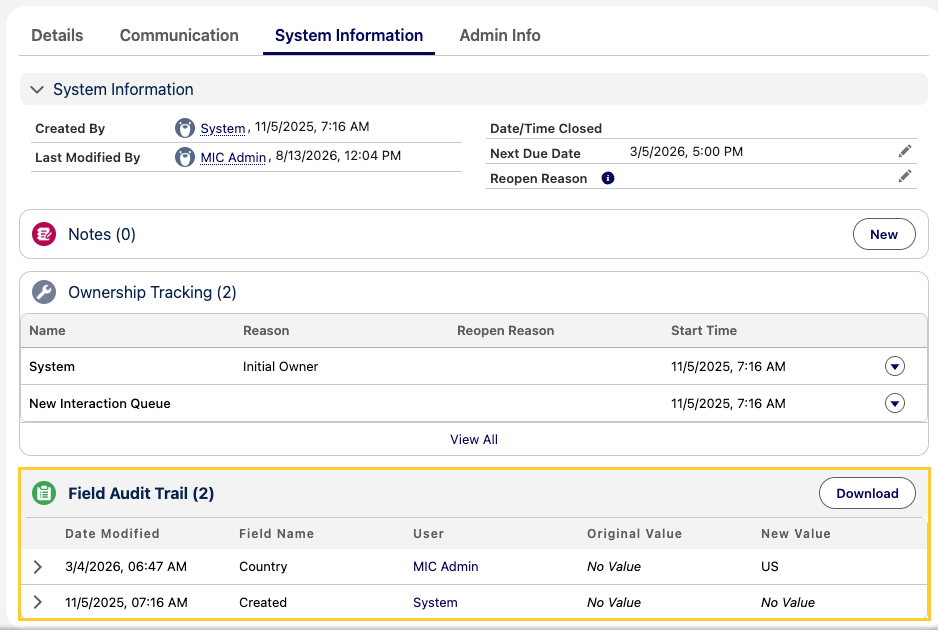
Field Audit Trail Download button fails in Salesforce Winter '27
| Created date | 09/30/2026 | Updated date | 09/30/2026 |
|---|---|---|---|
| Status | In Progress | Related work item | PLTFM-3720 |
| Description | In orgs on Salesforce Winter '27 with Lightning Web Security (LWS) enabled, clicking Download on the Field Audit Trail (mvn:atFieldAuditTrail) Related List component doesn't generate a CSV file. Instead, the following error appears: Lightning Web Security: HTMLAnchorElement href does not support data:, javascript: or vbscript: schemes. This affects only the CSV download. The component still displays audit trail records as expected. | ||
| Root Cause | In Winter '27, Salesforce blocks a code pattern it previously recommended for downloading dynamically generated files. Code that followed the earlier best practice no longer works. For details, see HTMLAnchorElement href No Longer Supports data:, javascript:, or vbscript: Schemes. Because Medical Information Cloud requires LWS, this issue affects every org upgraded to Winter '27. | ||
| Affects version(s) | Spring '26 (V18) and older | Impacted capabilities | Inquiry Management |
| Steps to reproduce |
| ||
| Workaround | There's no in-app workaround. Don't disable LWS, because Medical Information Cloud requires it. The audit data isn't affected. Until you install the fix, export audit records with a data tool such as Data Loader or Workbench instead of using the Download button. | ||
| Fix version | Fall '26 (V19) | Resolution notes | The Download button now builds the CSV file with a blob object URL, which LWS allows, instead of a data: URL. The fix is included in the Mavens core package that ships with Fall '26. |