
Primary objects
The primary objects in Inquiry Management are Interaction, Request, Fulfillment, Adverse Event, and Product Quality Complaint. With these objects, you can record and manage medical inquiries. Specifically, when a Requester reaches out to your Contact Center, you can create a new Interaction record to store the Requester's contact information and information about how and when the Requester contacted the Contact Center. From this Interaction record, you can then create child records to capture and address inquiries and record reported Adverse Events and Product Quality Complaints. An Interaction can have more than one child record of the same type.
To make it easier for users to record and manage medical information inquiries, you can expose and arrange Inquiry Management components on the primary objects' record pages.
Interaction
An Interaction record stores information from the communication between an agent at a contact center and the Requester or Referred By person who contacted the contact center.
Interaction is the central object of Inquiry Management. It is the Salesforce Case object relabeled as Interaction. As a result, you will see references to the Case object in code and declarative configuration throughout the Inquiry Management module.
Region lookup on Interaction
The Region (mvn__MED_Region__c) lookup field on the Interaction (Case) object points to the Region (mvn__Region__c) record whose Country ISO Code (mvn__Country_ISO_Code__c) matches the value of the Country (MED_Country__c) picklist on the interaction.
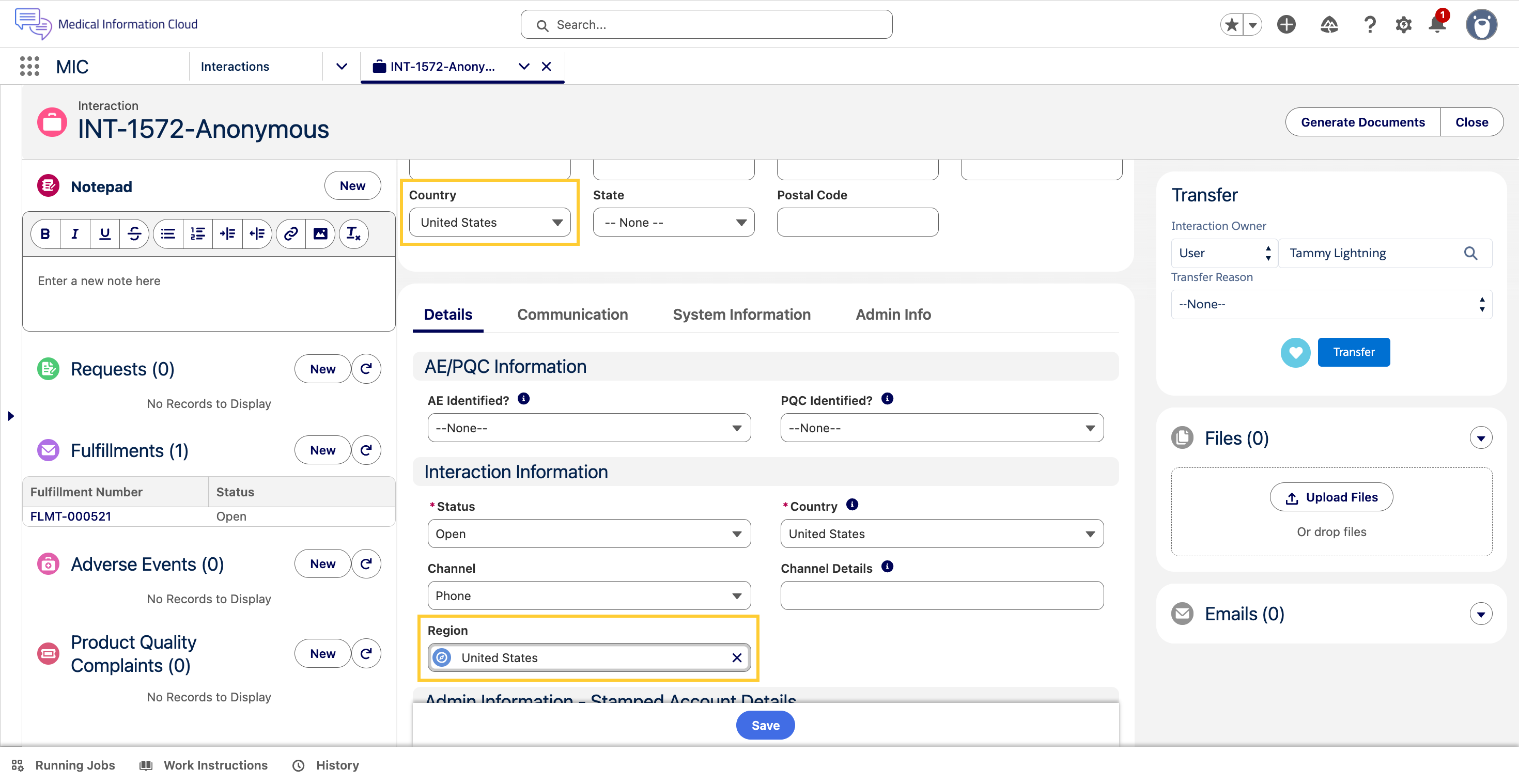
This gives administrators a single, consistent place to drive country-specific configuration such as business-process toggles, validation rules, and FlexiPage activations, without hard-coding Country values across Flows, Validation Rules, and Page Layouts.
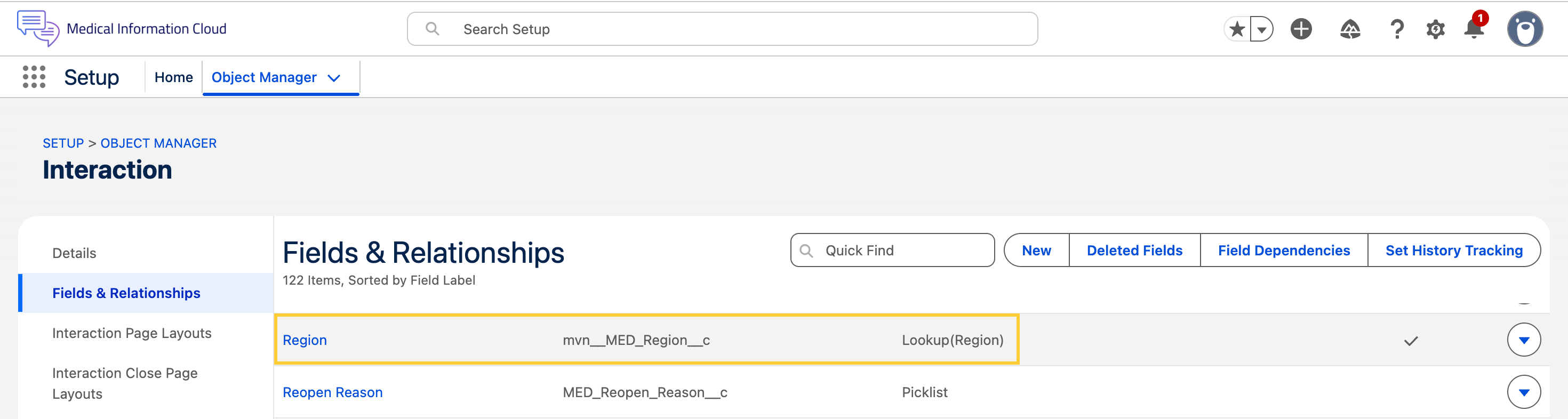
The Interaction (Case) object has a new Region (mvn__MED_Region__c) lookup field that points to the Region (mvn__Region__c) object.
A new trigger action, Set Case Region, runs in the
Before Insert and Before Update contexts on the Interaction (Case) object.
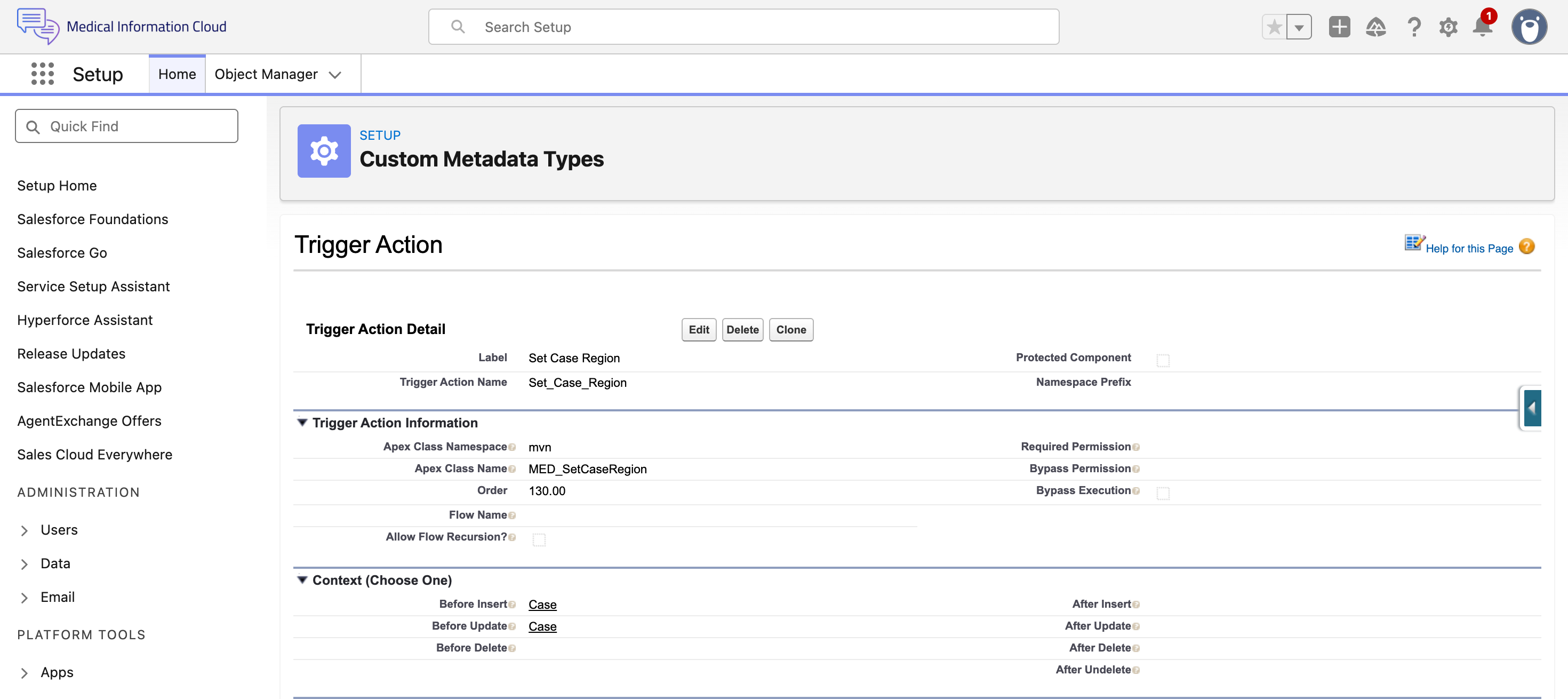
Whenever the Country (MED_Country__c) field is set or
changed, the trigger action finds the Region (mvn__Region__c) record whose Country ISO Code (mvn__Country_ISO_Code__c) matches the selected Country and stamps that record's ID on the Region (mvn__MED_Region__c) lookup. If no matching Region record exists, the lookup is cleared.
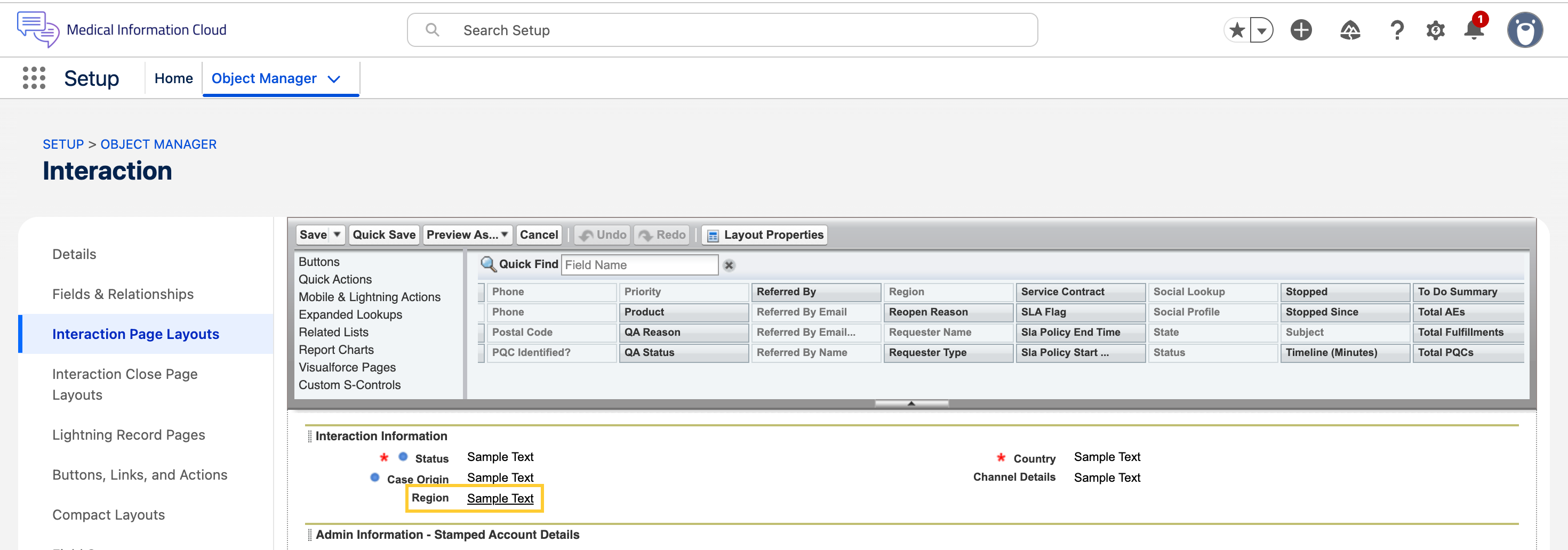
The new Region (mvn__MED_Region__c) field appears on the Case - Lightning Admin layout and stays hidden on the standard Case - Lightning layout. This keeps the field visible to Administrators who need to review it, while front-line agents get a cleaner, distraction-free view.
The Medical Information Cloud Admin (MED_Medical_Information_Cloud_Admin) and Medical Information Cloud User (MED_Medical_Information_Cloud_User) permission sets provide read access to the field. Users on the System Administrator profile get Edit access automatically — no additional permission sets needed.
How to use Region lookup on Interaction
-
Confirm that there is a Region (
mvn__Region__c) record for each Country your organization operates in.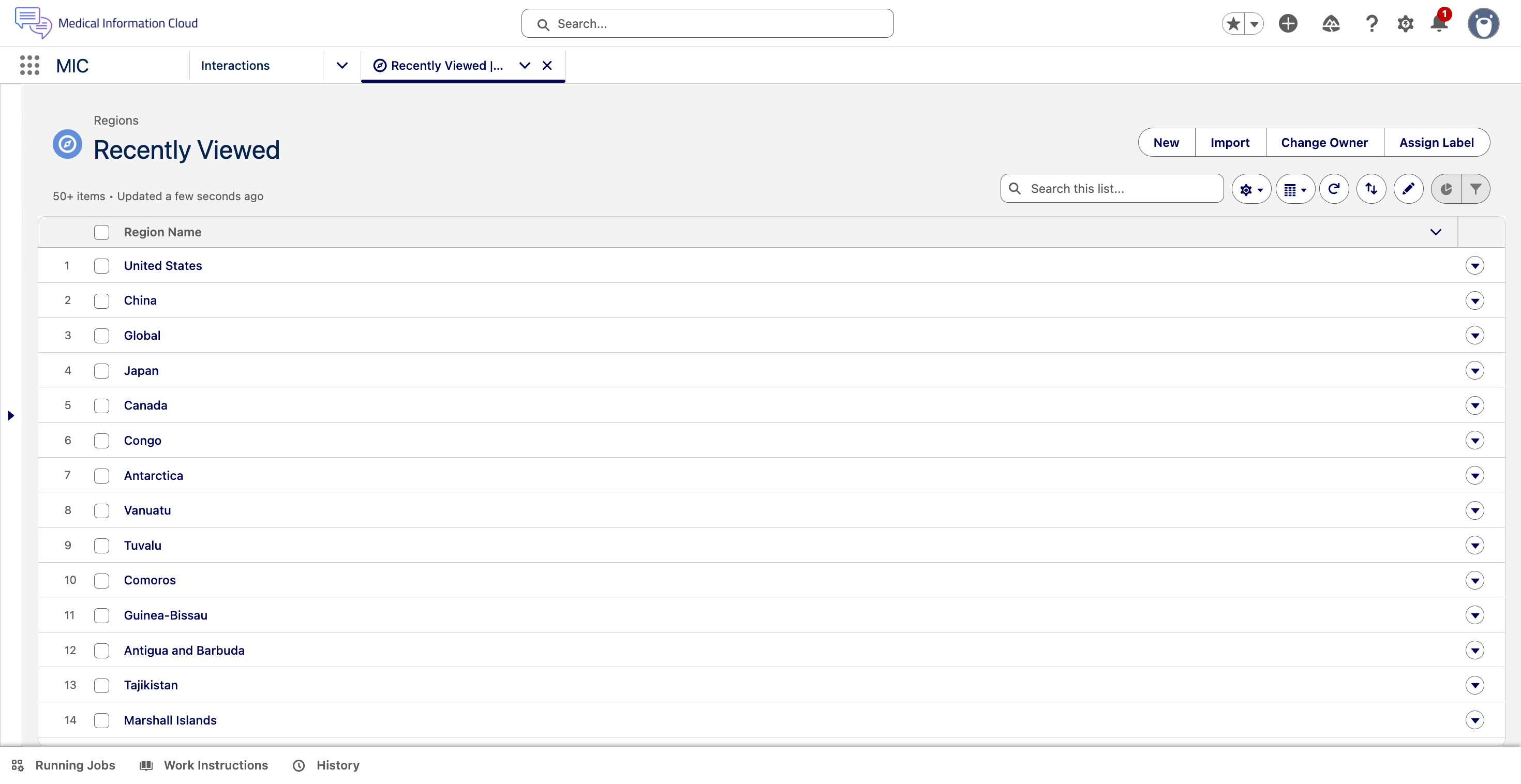
-
Ensure that the Country ISO Code (
mvn__Country_ISO_Code__c) field on each region matches the ISO Codes used by the Country (MED_Country__c) picklist on the Interaction.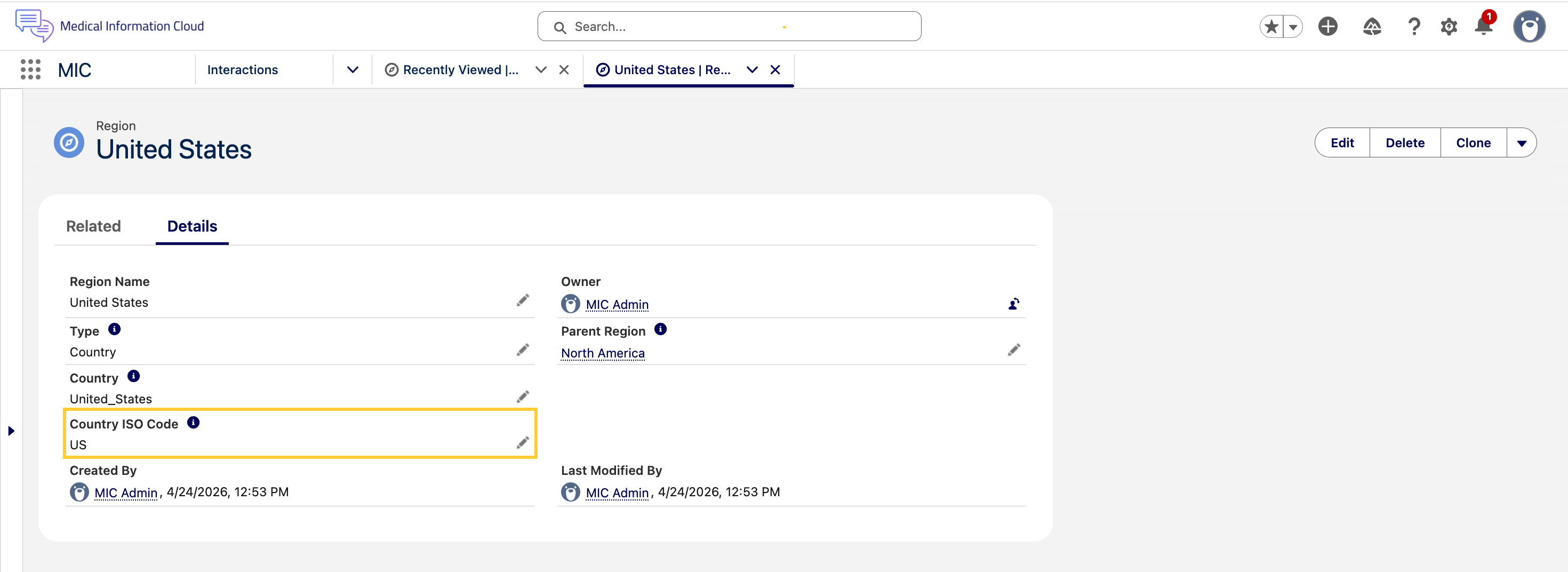
-
Open an Interaction record. Set or change the Country (
MED_Country__c) field. Save the record.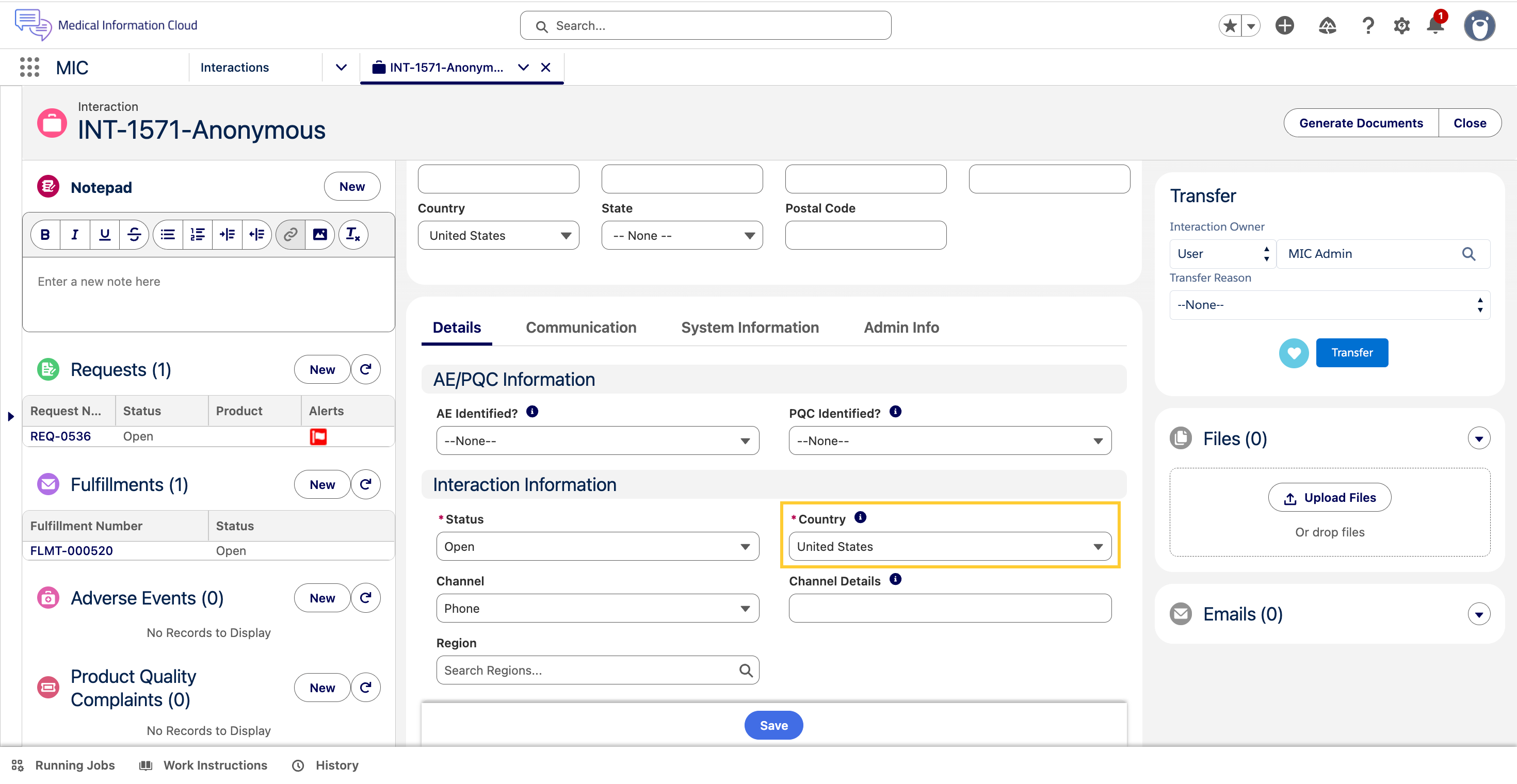
-
The Region (
mvn__MED_Region__c) lookup is set to the matching region.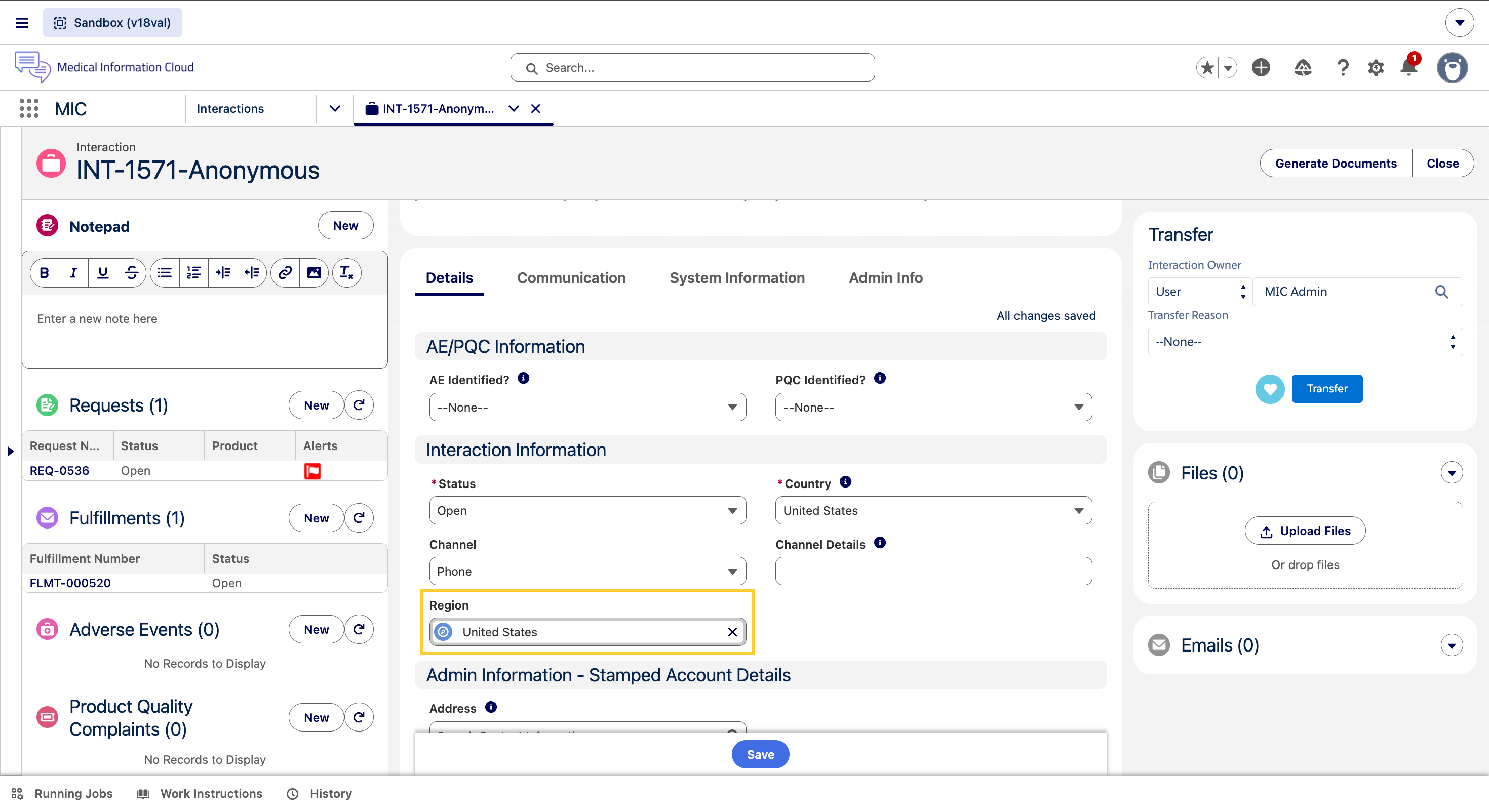
If you change the Country to a value that has no matching region, the lookup is cleared.
Administrators can use the Region (mvn__MED_Region__c) lookup as the entry point for country-scoped configuration. For example, you can reference it in FlexiPage component visibility rules, Validation Rule formulas, or Flow entry criteria. This way, your Country and market-specific settings live directly on the Region record — not buried inside code.
The trigger action only updates the Region (mvn__MED_Region__c) lookup when the Country (MED_Country__c) value actually changes. Region values that you set manually on records whose Country has not changed are preserved.
Request
A Request is a child record of an Interaction. Each Request stores information about the account's inquiry and any responses that have been provided. There can be multiple Requests in a single Interaction. For example, if a Health Care Provider asks three questions on a call, you will create a single Interaction and three Request records underneath that Interaction.
Fulfillment
A Fulfillment record is a child record of an Interaction. From a Fulfillment record, you can create a package of information to send via email, mail, or fax to the Account that submitted the inquiry. A Fulfillment Package includes:
-
A cover letter, which lists the full content of the Fulfillment Package and any warnings/disclaimers
-
Documents from your Content Management System
-
Non-Standard Response documents that have been uploaded to the Request(s).
Inquiry Management uses Dynamic Document Packages to generate Fulfillment Packages.
When you give an Account a verbal response, you do not create a Fulfillment. Fulfillments are only used for written responses.
Adverse Event
An Adverse Event record is a child record of an Interaction. With an Adverse Event record, you can capture and store information on perceived unintended or unfavorable symptoms of a product. Adverse Events can be packaged as a PDF and emailed out.
Product Quality Complaint
A Product Quality Complaint record is a child record of an Interaction. With a Product Quality Complaint record, you can capture and store information related to a potential product quality issue. Issues may be related to manufacturing, stability and release testing, dose preparation, storage, or distribution. Product Quality Complaints can be packaged as a PDF and emailed out.
In this section
-
Home Page - the consolidated, country-specific home-page dashboard and the components it displays.
-
Interactions - the central object of Inquiry Management and the Lightning components available on its record pages.
-
Requests - the Request record page, follow-ups, cloning, and creating custom responses and FAQs.
-
Adverse Events - Adverse Event records, primary sources, E2B(R3) generation, and presubmit validation.
-
Fulfillment - fulfillment package generation, cover letters, Digital Fulfillment, and email delivery.
-
Account - Account contact information synchronization and data change requests.